

Add a free AI chatbot to Shopify |
Auto-answer FAQ and legal-notice questions.
Just paste the monoshiri AI embed code into the theme customizer's "Custom Liquid" block, or into your theme code. The AI answers FAQs, questions about Japan's Specified Commercial Transactions Act, and shipping / return inquiries automatically 24/7, and supports multilingual cross-border e-commerce.
Free plan available · No code editing · A Shopify store and a monoshiri AI account required
Start freeThree ways to install on Shopify
Choose the easiest method that fits your store theme and workflow. All methods amount to pasting the same embed code.
Custom Liquid (recommended)
Online Store 2.0 themesAdd a Custom Liquid block via the theme customizer and paste the embed code. No code editing required - the simplest path.
Edit theme code
Works with any themePaste the embed code in `layout/theme.liquid` just before the body closing tag. Best for older themes or when you need the widget on every page guaranteed.
Shopify App (coming soon)
Coming soonAn official Shopify App is in development - install once from the Shopify App Store and connect. Full support for GDPR webhooks and HMAC verification.
Automate common e-commerce inquiries with AI
Upload your documents to a folder and the AI handles common online-store inquiries as a first response, 24/7. Here are typical questions Shopify stores receive.
Shipping, fees, and delivery time (When will it arrive? How much is shipping? Do you ship overseas?)
Whether returns, exchanges, and cancellations are possible, and how
Stock, restock, and pre-order inquiries
Product questions such as size, material, and specifications
Payment methods, receipts, and billing questions
Checking the legally required notices (Specified Commercial Transactions Act) and privacy policy
What you'll need

Shopify store admin access
Permission to edit your online store theme is required.

A monoshiri AI account
Create a widget and copy its embed code. You can start with a free account.
Recommended setup (via Custom Liquid)
The fastest path on Online Store 2.0 themes. Everything happens in the Shopify admin.
Get the embed code from monoshiri AI
Open your widget in the monoshiri AI admin and copy the code from the "Embed code" section. You don't need to register your store's domains (including any custom domain) in advance.
Open the theme customizer
Shopify admin → Online Store → Themes → "Customize". In the editor, select the page where you want the widget to appear (typically your homepage or a shared layout).
Add a Custom Liquid block and paste
Click "Add section" → "Custom Liquid", paste the embed code into the empty field, and save. It goes live on your store immediately.
Alternative: edit theme code directly
For older Online Store 1.0 themes, or when you want to guarantee the widget loads on every page:
Watch out: when you swap an Online Store 2.0 theme for a different theme, Custom Liquid sections added inside the old theme are not carried over and may disappear. If you switch themes, add the Custom Liquid block again in the new theme, or consider installing via direct theme.liquid editing, which is less affected by theme swaps.
Verify the install
Visit your store and check that the chat button appears in the bottom right. If it doesn't appear, confirm the Custom Liquid block is enabled and that the widget is published in the monoshiri AI admin.
Use cases on Shopify stores
Install monoshiri AI on Shopify and solve common store inquiries just by asking the AI.

Automate store inquiries
The AI answers common store inquiries 24/7, including questions about shipping, returns, payment methods, and legal notices. Reduce email handling workload and ease the load on your operations team.

Multilingual first-line response for cross-border e-commerce
The AI, which supports Japanese, English, Korean, and Chinese, automatically provides first-line responses to overseas customers. Even when running a multilingual store with Shopify Markets, you can lower the language barrier in inquiry handling.

Guide on orders, shipping, and FAQs
Upload FAQs, shipping policies, and legally required notices to a folder, and the AI guides customers without leaving the product page. Resolve pre-purchase questions on the spot and prevent drop-offs.
How to choose a Shopify chatbot
monoshiri AI is chosen for answering questions about FAQs, legal notices, and shipping automatically from your documents, its Japanese accuracy, and how easy it is to start for free. Here is how it compares with common types.
| Comparison item | monoshiri AI | Overseas chatbots | Scenario-based bots |
|---|---|---|---|
| Pricing (free to start) | Free plan available | English UI, pricey | High upfront cost |
| Japanese accuracy | Fixed phrases only | ||
| FAQ / legal-notice page integration | Extra cost | ||
| Easy setup (no code editing) | Just paste into Custom Liquid | Manual tag setup | Complex configuration |
| Unlimited users |
The above compares general product types and does not refer to any specific competitor product.
Shopify integration FAQ
What is an AI chatbot? (monoshiri AI)
An AI chatbot you can embed on your public site. It answers visitor questions 24/7 based on your uploaded knowledge (your materials, FAQs, product manuals). Reduce support load and improve conversions at the same time.

24/7 Auto-reply
Answers around the clock

Accurate AI Answers
Grounded in your knowledge

Multilingual
Supports major languages

5-min Setup
Just paste a code snippet
Install on any website, instantly
Official plugins are provided for major CMS platforms like WordPress. For any other site, you can install the widget by simply pasting a script tag.

BASE
AvailableJust enable BASE's HTML Tag Manager app and paste the embed code as a custom tag. No plugin install needed.
Shopify
AvailablePaste the embed code via the theme customizer's Custom Liquid block, or directly into the theme code. Setup in 3 minutes.
Current page
STUDIO
AvailablePaste the monoshiri AI embed code into STUDIOs Custom Code feature. Set up in 5 minutes on Mini plan or higher.

Wix
AvailableJust paste the monoshiri AI embed code into Wix's Custom Code feature. Takes about 5 minutes on a published site with a connected domain.

Webflow
AvailableJust paste the embed code into Webflow's Site settings → Footer Code. Set up in 5 minutes on Basic Site Plan or higher.
Other sites (custom builds, static sites, etc.)
Available nowWorks on any website where you can insert a script tag. Just paste the generated embed code into your HTML.
Guide in preparationWordPress is a registered trademark of the WordPress Foundation, BASE is a trademark of BASE, Inc., and Shopify is a registered trademark of Shopify Inc. monoshiri AI is developed and operated independently and is not endorsed, sponsored, or affiliated with these companies.
Related Articles
Our blog goes deeper on setup steps and how teams actually use it.
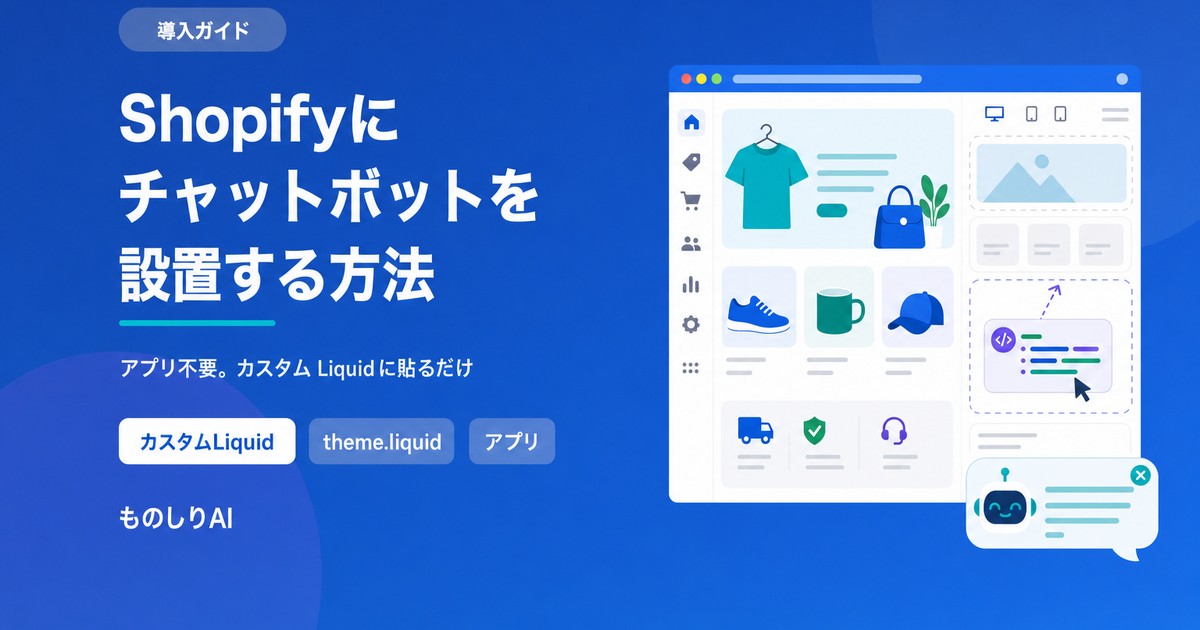
How to Add a Chatbot to Shopify -- The Custom Liquid Method, No App Required (2026)
Three ways to install a chatbot on a Shopify store, compared, plus the step-by-step Custom Liquid method that needs no app. Covers the theme-swap trap that silently removes it, why it cannot appear on checkout, and how far a free plan goes.

Streamlining Customer Support with AI -- How SMBs Can Transform Their Inquiry Handling
Learn how small and mid-sized businesses can use AI to tackle common customer support challenges: repetitive questions, after-hours inquiries, and staffing shortages. This guide covers practical scenarios using AI chat widgets and internal knowledge bases.
![Automate Website Inquiries with AI -- A Chat Widget Implementation Guide [2026 Edition]](/blog/chat-widget-guide/header.jpg)
Automate Website Inquiries with AI -- A Chat Widget Implementation Guide [2026 Edition]
Learn how to automate website customer support with an AI chat widget. This 2026 guide covers setup in 3 easy steps starting at 2,980 yen/month with no scenario design required, plus pricing comparisons of RAG-powered services and key selection criteria.
Related pages
Explore more—see the full AI chatbot, pricing, and other integrations.
AI chatbot comparison
See how we compare with scenario-based, FAQ search and live chat on price and setup effort.
Learn morePricing (free plan available)
Compare the free and paid plans. Start with no setup fee and no credit card.
Learn moreAdd to WordPress free
Install the free AI chatbot in 5 minutes with the official plugin.
Learn moreFrequently asked questions
Common questions before you start — pricing, installation and security.
Learn more
Let AI handle the inquiries on your site.
Try it free — no commitment required.
150 queries/month free / No credit card required
"Shopify" is a registered trademark of Shopify Inc. monoshiri AI is developed and operated independently of Shopify and is not endorsed, sponsored, or affiliated with Shopify Inc.