
Add a free AI chatbot to WordPress | Auto-answer from your own materials and FAQs
Just install the official "monoshiri AI Widget" plugin and connect it with a single button. Upload your own materials and FAQs, and the AI answers visitor questions automatically, 24/7.
Free plugin · Free plan available · WordPress admin access and a monoshiri AI account required
Start freeEverything runs from your WordPress admin
Connect the chatbot, choose what the AI reads, and see what visitors asked — all without leaving WordPress.
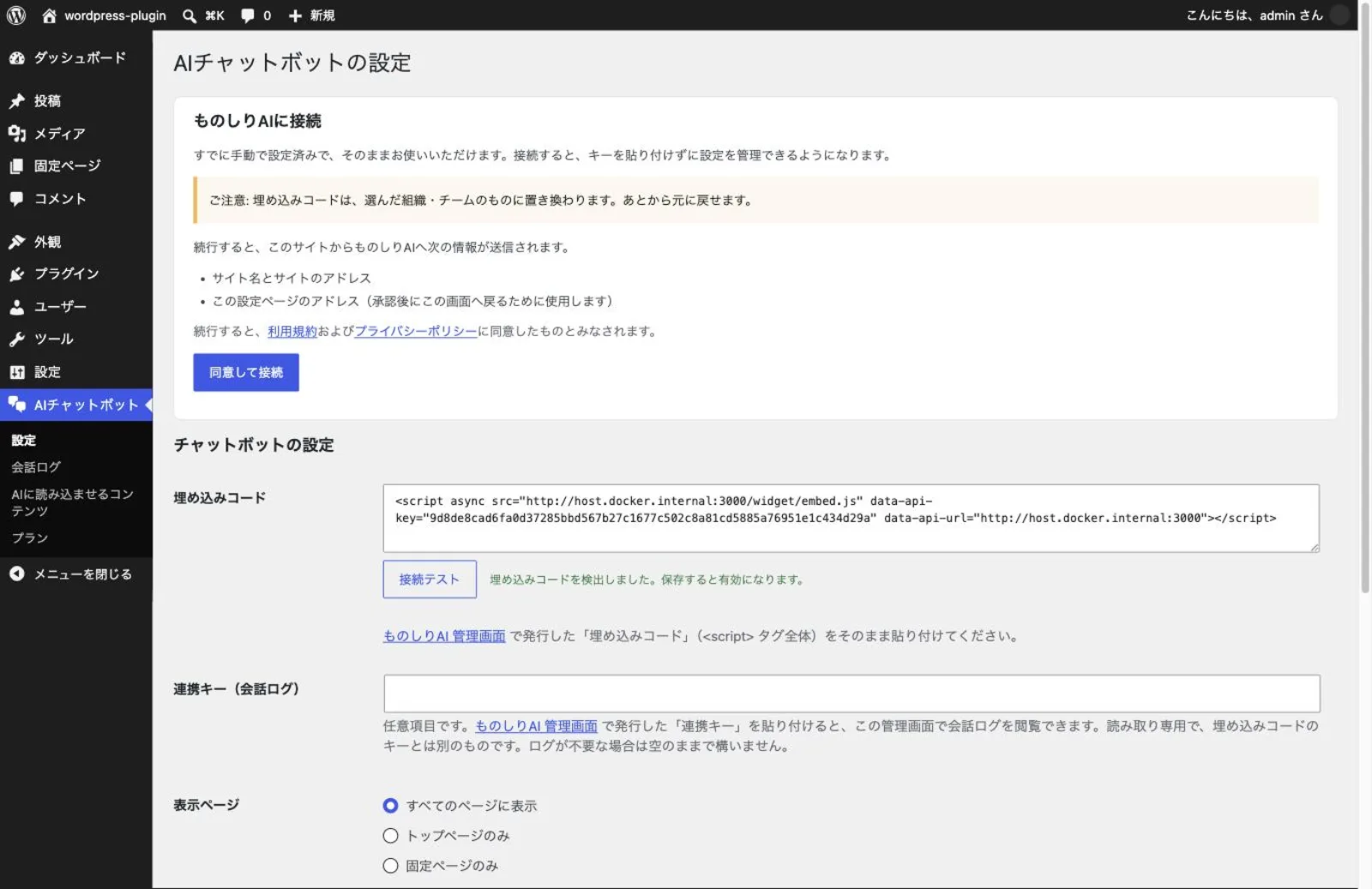
Press a button and approve it. No keys to copy by hand
Press "Agree and connect" on the settings screen and approve it on the monoshiri AI side. That is all it takes to set the chatbot up — there is no embed code to paste by hand.
- The screen shows exactly what will be sent before you press the button
- Change the title, color, suggested questions and contact link from WordPress
- A publish switch shows or hides the chatbot on your site straight away
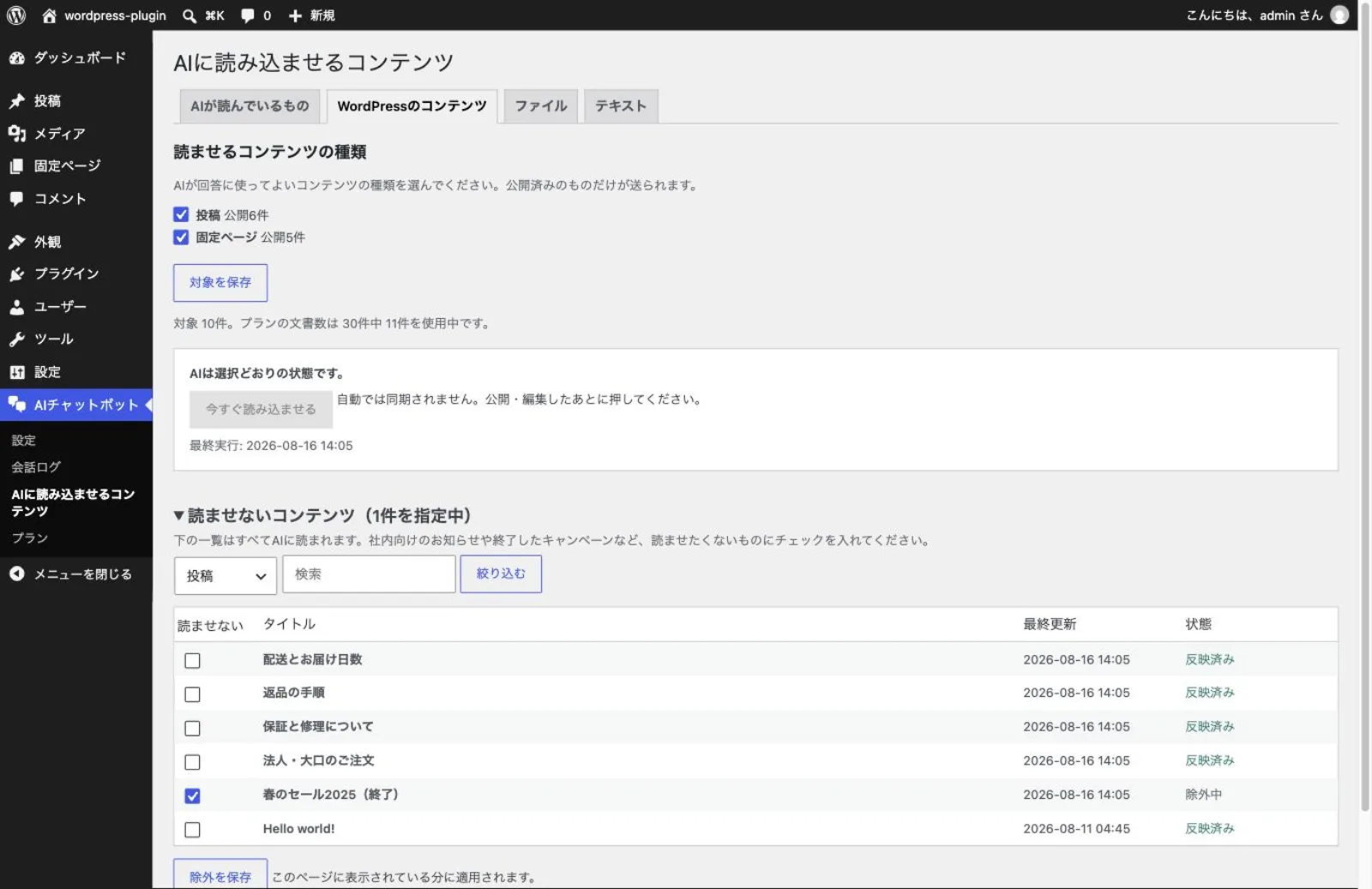
Turn your WordPress posts and pages into the AI's knowledge
Pick the kinds of content the chatbot may read — posts, pages or any custom post type. Tick anything it should leave out, such as internal notices or campaigns that have ended.
- Nothing is sent until you press "Sync now". There is no automatic sync
- Upload PDF, Word and Excel files for the AI to read, straight from WordPress
- Type short facts such as opening hours or shipping fees, and edit them later
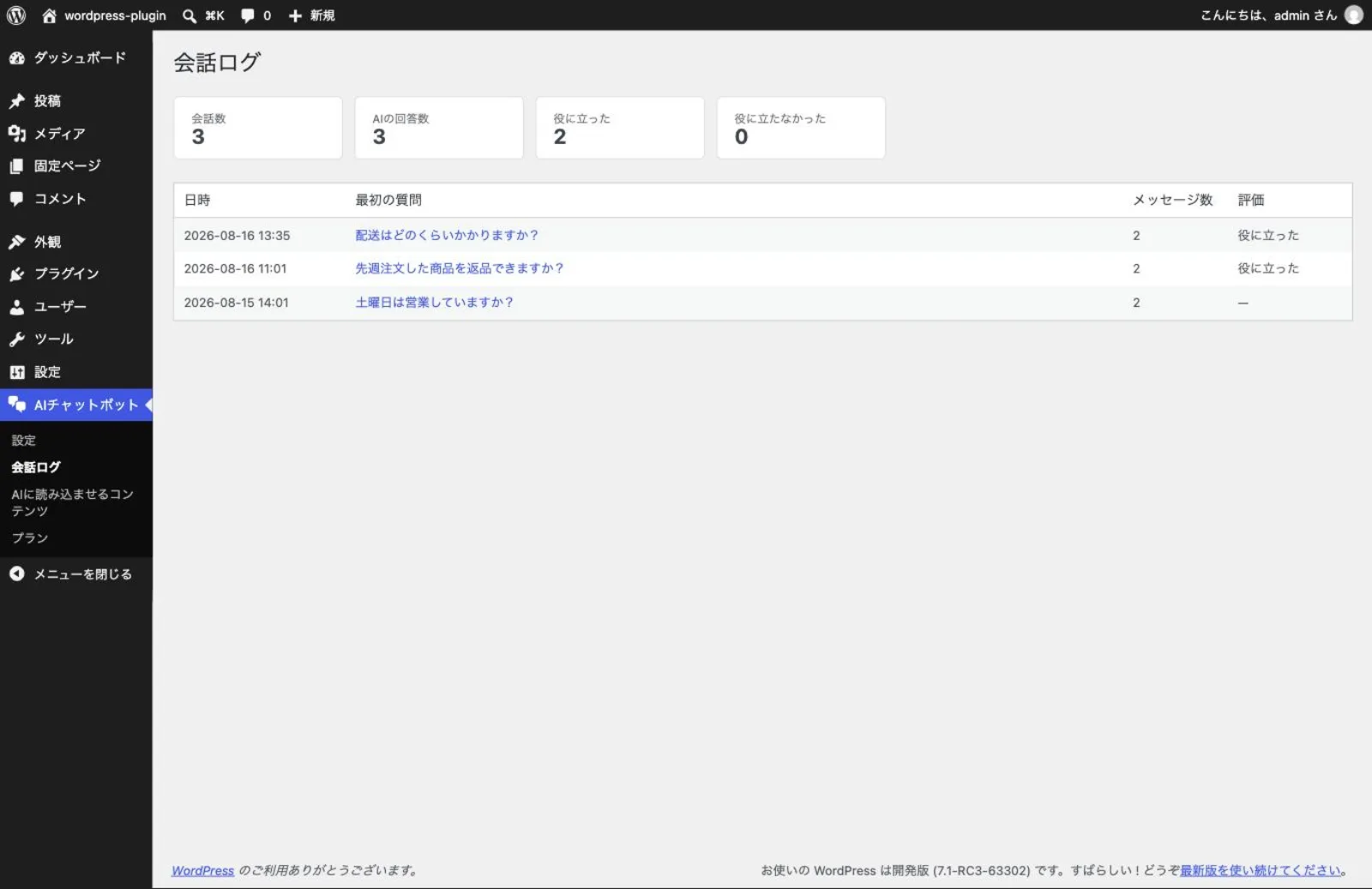
See what visitors asked, without leaving WordPress
Read the whole exchange in your admin, including how the AI answered. Visitor ratings are shown alongside, so you can spot the information that is missing.
- Read questions and answers in the order they were exchanged
- See whether visitors marked an answer helpful or not helpful
- Fill the gaps by adding content for the questions it could not answer
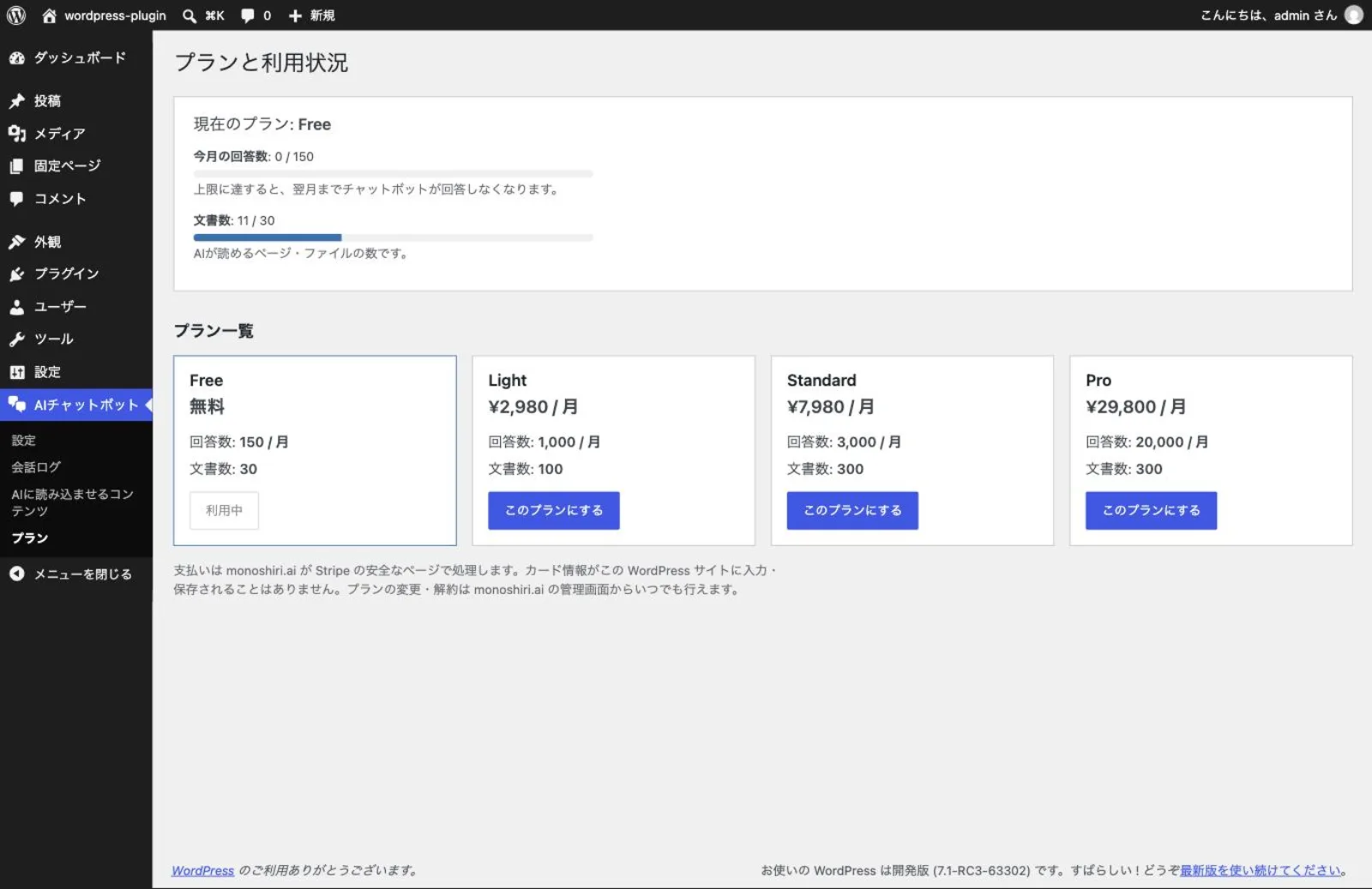
See how many answers you have left this month at a glance
The answers you have used this month and the documents you have added are shown side by side with your plan's limits. A notice appears only when you are close to the limit, so nothing stops without warning.
- Check your current plan and this month's usage inside WordPress
- Upgrade on the spot when you need more
- Card details are handled on Stripe's payment page and never stored in WordPress
What you'll need

WordPress admin access
You need an administrator account that can install and activate plugins.

A monoshiri AI account
You can create one for free while connecting. If you already have an account, just sign in and approve the connection.
Installing on WordPress
Everything happens inside the WordPress admin. No code editing, and no keys to copy by hand.
Install the "monoshiri AI Widget" plugin on WordPress
Go to WordPress admin → Plugins → Add New and search for "monoshiri AI". Click "Install Now" to install it.
Activate the plugin
Activate "monoshiri AI Widget" from the plugins list. A new "AI Chatbot" item appears in the left sidebar.
Press "Agree and connect"
Open "AI Chatbot" from the left sidebar and press "Agree and connect". The screen shows exactly what will be sent before you continue.
Approve it on monoshiri AI and you're live
Sign in to monoshiri AI (or create a free account there and then) and approve the connection. You are sent back to WordPress with the chatbot live. You can also choose where to display it (all pages / homepage only / static pages only).
Get the Official Plugin Now
Install directly from the official WordPress.org plugin directory. Search for 'monoshiri AI' in your WordPress admin, or open the plugin page via the button below.
Download on WordPress.orgFree · GPLv2 license · Requires WordPress 6.0 or later
Verify the install
Open your WordPress site and check that the chat button appears in the bottom right. If it doesn't appear, confirm that the connection finished on the settings screen and that the publish switch is on. The connection requires HTTPS, so on other sites you can still set the widget up by pasting an embed code.
Use cases on WordPress sites
Install monoshiri AI on WordPress and solve these challenges just by asking the AI.
Automate FAQs on your corporate site
The AI answers common questions about your company, services, pricing, and recruiting 24/7. Reduce traffic to your contact form and cut response workload.
Improve engagement on owned media
Add a path where readers can ask the AI "What related info is there?". The AI answers from your your own materials and past articles, increasing page views and time on site.

First-line support and inquiry handling
Upload manuals and terms of service to a folder, and the AI instantly answers questions about how to use your product or complete procedures, easing the load on human support.
How to choose a WordPress chatbot
monoshiri AI is chosen for answering automatically from your own materials and FAQs, its accuracy in Japanese, and how easy it is to start for free. Here is how it compares with common types.
| Comparison item | monoshiri AI | Overseas chatbots | Scenario-based bots |
|---|---|---|---|
| Pricing (free to start) | Free plan available | English UI, pricey | High upfront cost |
| Japanese accuracy | Fixed phrases only | ||
| Your materials / FAQ integration | Extra cost | ||
| Easy setup (no code editing) | 5 min with official plugin | Manual tag setup | Complex configuration |
| Unlimited users |
The above compares general product types and does not refer to any specific competitor product.
WordPress integration FAQ
Install on any website, instantly
Official plugins are provided for major CMS platforms like WordPress. For any other site, you can install the widget by simply pasting a script tag.
WordPress
AvailableInstall the official plugin and paste the embed code. No code editing required.
Current page
BASE
AvailableJust enable BASE's HTML Tag Manager app and paste the embed code as a custom tag. No plugin install needed.

Shopify
AvailablePaste the embed code via the theme customizer's Custom Liquid block, or directly into the theme code. Setup in 3 minutes.
STUDIO
AvailablePaste the monoshiri AI embed code into STUDIOs Custom Code feature. Set up in 5 minutes on Mini plan or higher.

Wix
AvailableJust paste the monoshiri AI embed code into Wix's Custom Code feature. Takes about 5 minutes on a published site with a connected domain.

Webflow
AvailableJust paste the embed code into Webflow's Site settings → Footer Code. Set up in 5 minutes on Basic Site Plan or higher.
Other sites (custom builds, static sites, etc.)
Available nowWorks on any website where you can insert a script tag. Just paste the generated embed code into your HTML.
Guide in preparationWordPress is a registered trademark of the WordPress Foundation, BASE is a trademark of BASE, Inc., and Shopify is a registered trademark of Shopify Inc. monoshiri AI is developed and operated independently and is not endorsed, sponsored, or affiliated with these companies.
Plugin release notes
Notable updates to monoshiri AI Widget. The plugin updates itself from your WordPress admin.
Choose what the AI reads, and change how the chat looks, without leaving WordPress
- Tick the post types the chatbot may read and they become its knowledge. Nothing is sent until you press "Sync now"
- Upload PDF, Word and Excel files for the AI to read, straight from your WordPress admin
- Type short facts such as business hours or shipping fees directly, and edit them later
- Change the chatbot's title, colour and suggested questions from the settings screen, and switch it on or off there
- A new "Plans" screen shows this month's answers and the plan you are on
Connect with one button instead of copying keys by hand
- Press "Agree and connect" and the chatbot is set up for you — no keys to copy
- Create a free monoshiri.ai account during the same step
- The screen states exactly what will be sent before you continue, and nothing is sent until you press the button
- Deleting the plugin now revokes the stored credential on the server instead of leaving it active
- Sites already set up with an embed code keep working, and manual setup remains available
Read what visitors asked, inside the WordPress admin
- Added a "Conversation logs" page showing visitor questions, AI answers and the feedback they left
- Follow what people are asking without opening the monoshiri.ai dashboard
Related Articles
Our blog goes deeper on setup steps and how teams actually use it.
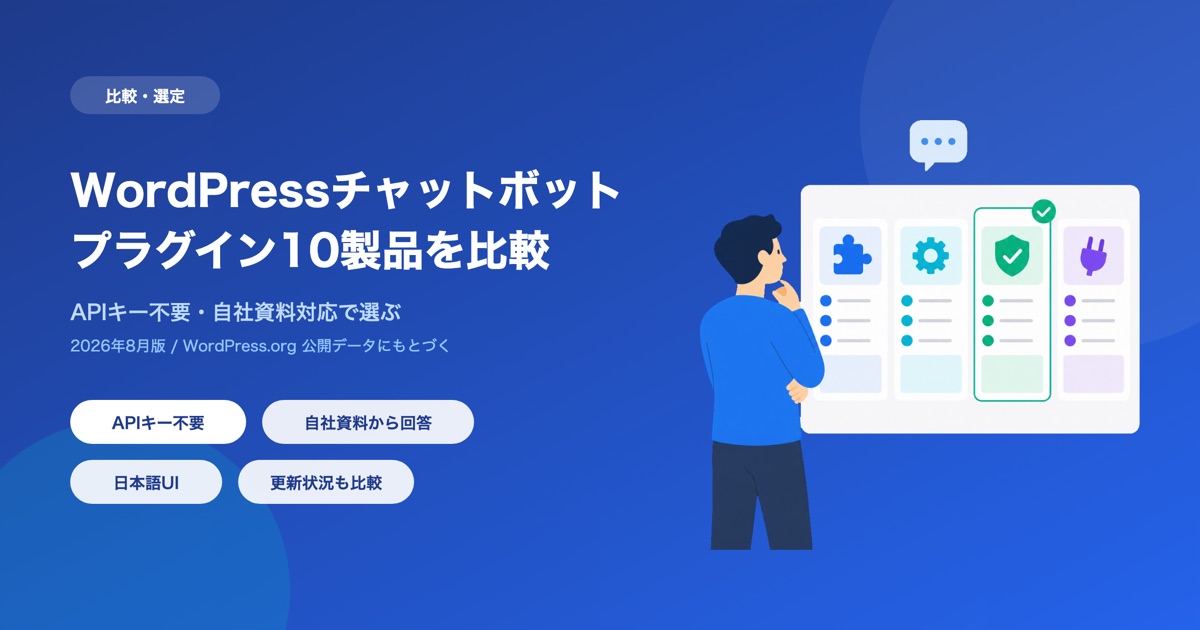
10 WordPress Chatbot Plugins Compared (2026): Choosing by API Key Requirements
A comparison of 10 WordPress chatbot plugins based on public WordPress.org data. We break them down by whether you need your own API key, whether the AI can answer from your own documents, language support, and what 'free' actually covers.
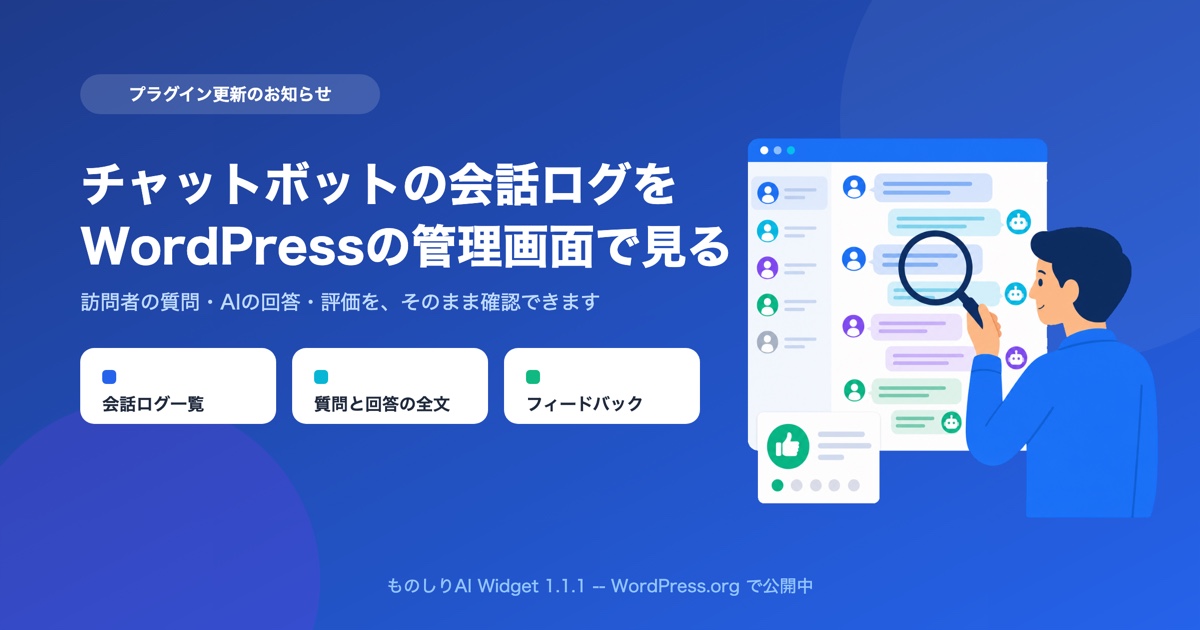
You Can Now Read Your Chatbot's Conversation Logs Inside the WordPress Admin
monoshiri AI Widget 1.1.1 is live on WordPress.org. Save a read-only integration key and you can read visitor questions, AI answers, and feedback as WordPress chatbot conversation logs, without leaving your admin screen.
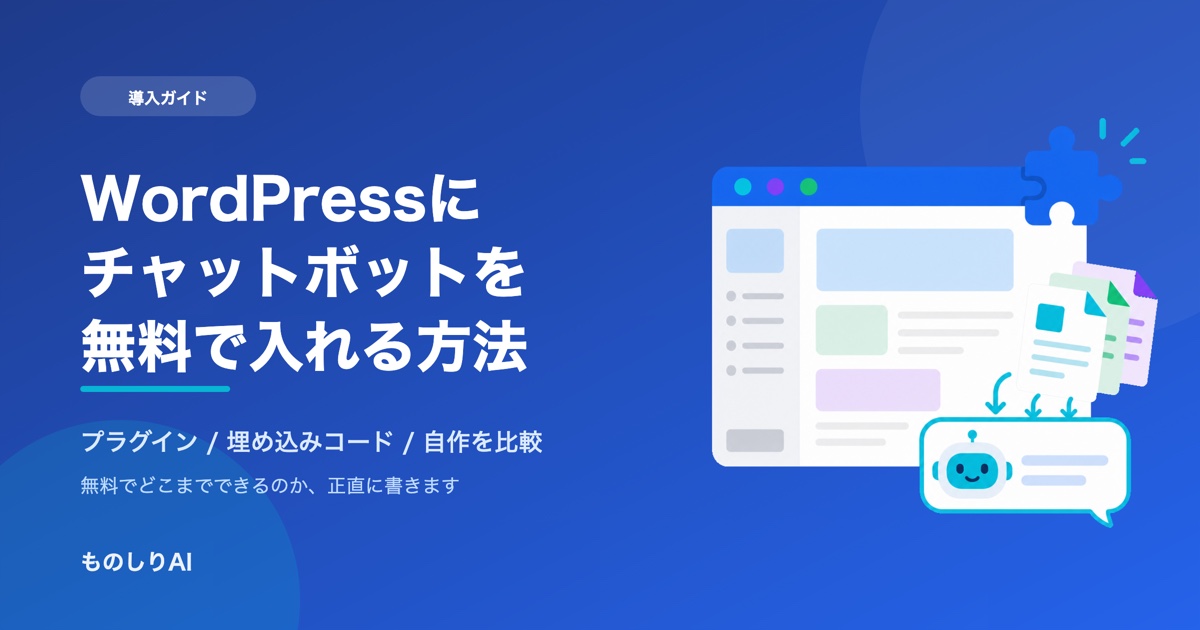
How to Add a Chatbot to WordPress for Free -- Comparing Three Approaches (2026)
Three ways to add a chatbot to your WordPress site -- a plugin, an embed snippet, or building your own -- compared honestly. What 'free' actually covers, where the paid tier starts, and the setup problems that make the button disappear, from the team that publishes a plugin on WordPress.org.
Related pages
Explore more—see the full AI chatbot, pricing, and other integrations.
What the dashboard can do
A rundown of the dashboard: full conversation history, rating totals, and question-category analysis.
Learn moreAI chatbot comparison
See how we compare with scenario-based, FAQ search and live chat on price and setup effort.
Learn morePricing (free plan available)
Compare the free and paid plans. Start with no setup fee and no credit card.
Learn moreFrequently asked questions
Common questions before you start — pricing, installation and security.
Learn moreSecurity and data handling
Where your data is stored, how it is encrypted, and why we never use it for AI training.
Learn more
Let AI handle the inquiries on your site.
Try it free — no commitment required.
150 queries/month free / No credit card required
"WordPress" is a registered trademark of the WordPress Foundation. monoshiri AI is developed and operated independently of WordPress and is not endorsed, sponsored, or affiliated with the WordPress Foundation.