Search for a Shopify chatbot and the App Store offers plenty of apps. But comparison articles in Japanese are scarce, and most English posts leave unanswered the questions that matter to Japanese-language stores: does it work in Japanese, what does it cost, and how far does the free plan go?
This article compares five products using the information on their official Shopify App Store pages. It also sets out the points to settle before choosing, such as whether you need Japanese, and whether an AI or scenario bot suits your store.
About the information: ratings, review counts, pricing and supported languages come from the official Shopify App Store pages as of October 25, 2026. Pricing and specifications change, so always check each official page before adopting a product. monoshiri AI is our own product. We have tried to treat it fairly, but please read with that in mind.
What you will learn
- The types of Shopify chatbots (AI, scenario, help desk)
- A side-by-side of ratings, pricing and supported languages for five products
- What "free" covers, and how costs grow
- How many products work in Japanese
- Which to choose for each goal
1. The short answer: a quick guide by goal
| What you want | Suitable type | Products |
|---|---|---|
| Try something on the store at no cost | Shopify's own AI | Shopify Inbox |
| Answer shipping and return policies in Japanese from your own documents | AI that answers from your documents | monoshiri AI |
| Handle order status and other store-data tasks | Store-connected app | Shopify Inbox / Intercom |
| Run human chat together with scenarios or AI | Chat plus scenarios or AI | Tidio / Re:amaze |
| Staff a support team and manage inquiries in one place | Help desk | Re:amaze / Intercom |
| Install without granting app permissions | Embed code | monoshiri AI |
Wanting "a chatbot" can mean cutting shipping and return questions, or automating individual order handling. The right product depends on which.
2. AI bots vs scenario bots, and which suits Shopify
- AI bot: it reads documents such as policies and FAQs, and builds an answer from them to whatever the visitor types. Shopify Inbox's AI, Tidio's Lyro and monoshiri AI are examples
- Scenario (rule-based) bot: you prepare choices such as "About shipping" or "I want to return" and the answers behind them, and visitors click buttons. Tidio's Flows is an example of building branches without AI
| Scenario | AI | |
|---|---|---|
| How questions are taken | Visitor picks a prepared button | Visitor types freely |
| Unexpected questions | Cannot answer | Can answer if the documents cover it |
| Preparation | Design questions and branches | Load existing policies and FAQs |
| When content changes | Find and fix the branch | Replace the document |
| Caveat | Maintenance grows with branches | Outdated or vague documents give off answers |
On Shopify, most questions cluster around policies: shipping, returns, sizing, payment. If the answer is already on a page, an AI bot that reads your documents gets going faster than designing branches. Tasks that need a fixed procedure or store data, such as order status, suit scenarios and store-connected apps.
3. Four points to decide on
Point 1: Does it work in Japanese?
This is the first fork. A Japanese admin screen is a convenience, but whether the answers shown to customers read naturally in Japanese is a separate question. As shown below, few products list Japanese on the App Store.
Point 2: Do you need to use store data?
Looking up or acting on order data, such as order status or cancellations, requires an app connected to Shopify. In exchange you grant it access to customer, order and product data. If policy answers are the main job, a method that needs no such permissions is enough.
Point 3: How does the price grow?
Flat monthly, per conversation, or per staff seat each behave differently when inquiries rise. This matters most for stores whose inquiries spike during sales.
Point 4: What does free cover?
Duration, conversation limits and features differ across free plans. Collecting real questions on a free plan before deciding is the safe route.
4. Comparison of five products
Based on official Shopify App Store pages (checked October 25, 2026). USD prices are shown in dollars as stated.
| Product | Provider | Rating | Form | Supported languages (per App Store) |
|---|---|---|---|---|
| Shopify Inbox | Shopify | 4.6 (5,804 reviews) | App | 21 languages including Japanese (no direct support in Japanese from the developer) |
| Tidio | Tidio | 4.8 (1,359 reviews) | App | English, German, French, Italian, Portuguese (BR), Spanish (no Japanese) |
| Re:amaze | Re:amaze | 4.4 (181 reviews) | App | English only (no Japanese) |
| Fin AI Agent & Intercom | Intercom | 3.7 (18 reviews) | App | English only (no Japanese) |
| monoshiri AI | monoshiri AI | No reviews | Custom Liquid (not an app) | Japanese, English, Chinese, Korean |
Pricing and features:
| Product | Pricing (as stated) | Free scope | Role of AI |
|---|---|---|---|
| Shopify Inbox | Free | No usage cap stated | AI replies with product suggestions, FAQs, order status, discounts and greetings |
| Tidio | Customer Service $29/mo (100 conversations; 250 to 1,000 conversations $59), Flows $29/mo (up to 40,000 visitors), Lyro AI Chatbot $39/mo ($390/yr, up to 200 Lyro conversations) | Free plan (Live Chat 50 users, Flows up to 100 visitors/mo). 7-day free trial on paid plans | Lyro AI chatbot, paid |
| Re:amaze | Basic $29/mo, Pro $49/mo, Starter $59/mo (500 conversations included, extra 100-conversation pack $15), Plus $69/mo. Extra staff cost the same per person | 14-day trial | AI chatbot included. AI agent resolutions per user per month: Basic 5, Pro 10, Plus 20 |
| Fin AI Agent & Intercom | Fin $0.99 per outcome; Essential $39/mo ($348/yr), Advanced $99/mo ($1,020/yr), Expert $139/mo ($1,584/yr), each per seat | 14-day trial on each plan | Fin suggests products, answers questions and resolves order queries |
| monoshiri AI | Free 0 yen (150 answers/mo) / Light 2,980 yen (1,000) / Standard 7,980 yen (3,000) / Pro 29,800 yen (20,000) | Free plan (150 answers/mo) | Answers from your documents (PDF, text) |
Note: Re:amaze and Intercom list English only on the App Store. Check their documentation or a free trial for actual answer languages and features.
5. Short reviews
Shopify Inbox: Shopify's own AI, free to start
Provided by Shopify itself, free, rated 4.6 (5,804 reviews), the most reviews of the five. It is described as "An AI sales associate for your online store." It learns from your catalog, policies and store content, lets you set tone and rules, and replies automatically with product suggestions, FAQs, order status, discounts and greetings. Analytics are included. The supported languages list 21, including Japanese.
Two cautions. The App Store states there is no direct support in Japanese from the developer. It also asks for access to customer, order and product data. One review also says the AI makes mistakes and the reviewer switched it off repeatedly.
Good for: trying a store-connected AI at no cost. Not for: avoiding app permissions, or relying on direct support in Japanese.
Tidio: chat, scenarios and AI with a free tier
Rated 4.8 (1,359 reviews). The Free plan includes Live Chat (50 users) and Flows for building scenarios (up to 100 visitors per month). The AI chatbot Lyro is paid at $39/month ($390/year, up to 200 Lyro conversations). Plans carry a 7-day free trial and are billed in USD.
The main caution: supported languages are English, German, French, Italian, Portuguese (BR) and Spanish, not Japanese.
Good for: cross-border selling mainly outside Japan, combining human chat with AI. Not for: automated replies to Japanese customers in Japanese.
Re:amaze: a help desk that grows with staff
Rated 4.4 (181 reviews). A help desk centered on managing inquiries, with an AI chatbot. Basic $29/mo, Pro $49/mo, Starter $59/mo (500 conversations included, extra 100-conversation packs $15), Plus $69/mo, each with a 14-day trial. Each extra staff member costs the same again, so cost rises with team size. AI agent resolutions are capped per plan (per user per month: Basic 5, Pro 10, Plus 20). Supported languages are listed as English only.
Good for: a staffed support team managing several channels in one place. Not for: running in Japanese, or handling large volumes of AI answers.
Fin AI Agent & Intercom: an AI agent billed by outcome
Rated 3.7 (18 reviews), a smaller sample. Fin is an AI agent that suggests products, answers questions and resolves order queries, billed $0.99 per outcome. The help desk costs $39/mo (Essential), $99/mo (Advanced) or $139/mo (Expert) per seat, each with a 14-day trial. The App Store lists English only.
Good for: those fine with outcome-based billing and mainly serving English. Not for: high inquiry volume with a fixed monthly budget, or Japanese operation.
monoshiri AI: no app, answers from your documents in Japanese
It is our own product, so here is what it can and cannot do.
It is installed through Custom Liquid, not an app. You paste one embed line in the theme customizer, with no app install and no access granted to store data. Upload your own documents (PDF, text), such as shipping and return policies, size charts and the legal notice, and it answers from them. It supports Japanese, English, Chinese and Korean. Start on Free (150 answers/month); paid plans are Light 2,980 yen (1,000), Standard 7,980 yen (3,000) and Pro 29,800 yen (20,000), with unlimited users.
It does have limits. It cannot look up orders, cancel them or process payments, and it does not appear on the checkout page. Switching themes removes the install, so reinstall after a redesign. It is not listed on the App Store as an app, so it has no reviews there.
Good for: answering policy questions in Japanese automatically, without granting app permissions. Not for: delegating order-specific handling to the bot.
For installation steps, see How to add a chatbot to Shopify; for an overview of the features, the Shopify integration page.
6. Costs grow in different ways
Even among products that are "free to start", costs diverge as inquiries rise.
- Free (Shopify Inbox): no usage cap is stated. In exchange, you grant access to store data
- Flat monthly with a conversation allowance (Tidio, monoshiri AI): each plan has a cap, so the monthly bill is predictable. monoshiri AI steps up from free at 150 answers, to 2,980 yen for 1,000 and 7,980 yen for 3,000
- Grows with staff (Re:amaze): each extra staff member costs the same again. With the same headcount, more conversations do not raise the base price
- Grows with outcomes (Intercom's Fin): $0.99 per resolution. More inquiries mean proportionally higher bills, so the monthly figure can swing around sales
A rough rule: a small store wanting no surprise bills favors a fixed allowance; a team with several support staff favors seat-based pricing. See the monoshiri AI pricing page for details.
7. Japanese support is still thin
This stood out. Only two of the five list Japanese among supported languages on the App Store: Shopify Inbox (one of 21) and monoshiri AI. Even Shopify Inbox states there is no direct support in Japanese from the developer.
Tidio does not include Japanese, and Re:amaze and Intercom list English only. Overseas help desks and AI agents are often built around English-speaking stores.
If you want to answer Japanese customers in Japanese, test on a free plan or trial whether answers come out naturally in Japanese. An English admin screen is workable, but it shows when you hand over settings to someone else or search for help in Japanese.
8. Decision flow
- Do you want to automate tasks that use store order data, such as order status?
- Yes: Shopify Inbox (free to try) or Intercom's Fin. Test answer quality in Japanese on the free plan or trial
- No, answering policy questions on shipping, returns and sizing is enough: go to 2
- Do you want to avoid granting app access permissions?
- Yes: monoshiri AI (Custom Liquid)
- No, granting them is fine: go to 3
- Do you need to answer Japanese customers in Japanese?
- Yes: Shopify Inbox or monoshiri AI. Try both on free plans and compare how natural the answers are
- No, mainly selling in English-speaking markets: Tidio / Re:amaze / Intercom
- Will you run human chat alongside?
- Yes: Tidio / Re:amaze
- No: choose based on the above
If unsure, run the same questions through Shopify Inbox (free) and monoshiri AI's Free plan and compare how natural the answers are.
Summary
- Shopify chatbots split into store-connected apps and embed methods that answer from your documents. Whether you need order data is the first fork
- Free options are Shopify Inbox, monoshiri AI (150 answers/mo) and Tidio's Free plan, but what free covers and which permissions are required differ
- Japanese support is limited: only Shopify Inbox and monoshiri AI list Japanese among the five. Tidio, Re:amaze and Intercom do not
- Costs grow differently: free, flat monthly, per staff, or per outcome. If inquiries spike during sales, a fixed allowance is easier to predict
- monoshiri AI cannot look up orders or cancel them, and does not appear at checkout. It suits policy questions answered in Japanese
- Pricing and specs change, so always check the latest on the official pages before adopting
We also compared 10 WordPress plugins the same way. For more on AI versus scenario bots, see 10 WordPress chatbot plugins compared.
Frequently asked questions
Can I use a Shopify chatbot for free?
Yes. Shopify Inbox is free, Tidio has a free plan, and monoshiri AI is free up to 150 answers per month. What counts as free differs by product, though. Tidio's free plan limits Flows to 100 visitors per month, while Shopify Inbox lists no usage cap but asks for access to your customer, order and product data. monoshiri AI is installed with Custom Liquid rather than as an app, so no app permissions are granted.
Is there an AI chatbot for Shopify that supports Japanese?
On the Shopify App Store pages as of October 25, 2026, Shopify Inbox supports 21 languages including Japanese, but the page states there is no direct support in Japanese from the developer. Tidio supports English, German, French, Italian, Portuguese (BR) and Spanish, not Japanese, and Re:amaze and Intercom list English only. monoshiri AI supports Japanese, English, Chinese and Korean.
Should a Shopify store choose an AI bot or a scenario bot?
If questions are varied (shipping, returns, sizing, payment) and the answers already sit on your policy pages, an AI bot fits. If you need to look up or act on store data, such as order status or cancellations, a store-connected app (Shopify Inbox or Intercom, for example) is the better fit. Many stores let the AI answer first and hand individual cases to a human.
Can I add a chatbot to Shopify without installing an app?
Yes. monoshiri AI is installed by pasting an embed code into Custom Liquid in the theme customizer, so no app permissions are granted. The catch is that switching themes removes the install, so you must set it up again after a redesign. The steps are covered in our setup article.
Can monoshiri AI check Shopify order status or take cancellations?
No. monoshiri AI answers from the documents you upload, such as shipping and return policies and FAQs. It does not look up orders, cancel them or process payments, and it does not appear on the checkout page. Order-specific questions need to be handed off to a human contact or an inquiry form.
Share this article
Related Articles
Best WordPress Chatbot Plugins: 10 Compared (2026), AI vs. Rule-Based
We compare 10 WordPress chatbot plugins using public WordPress.org data: AI vs. rule-based (scenario) chatbots, whether you need an API key or an account, answers from your own documents, and what 'free' covers, with picks by goal.
Internal Wiki & Knowledge Management Tools Compared (2026): How to Choose for AI Search
A 2026 comparison of internal wikis and knowledge management tools. Use six selection criteria for AI knowledge bases (answer accuracy, pricing, access control, ease of adoption, Japanese-language accuracy, integrations) and a side-by-side comparison table to find the right fit.
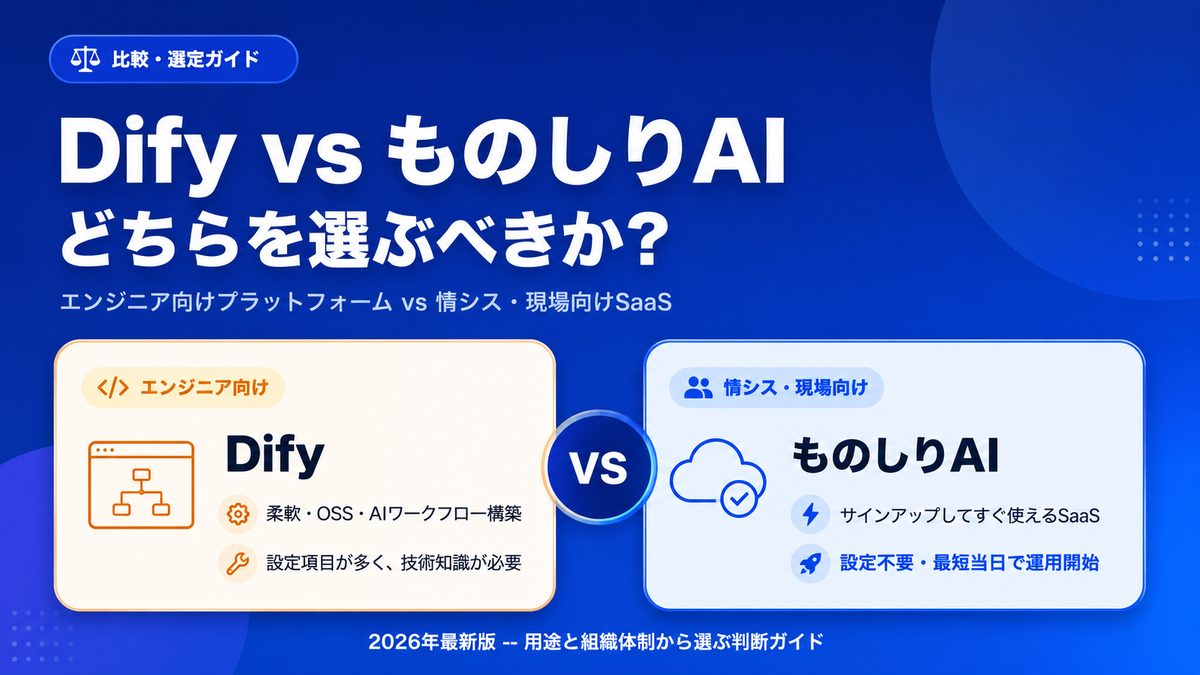
Dify vs Monoshiri AI -- Choosing the Right Internal Knowledge AI for Your Team [2026 Edition]
A practical comparison of Dify and Monoshiri AI across setup effort, Slack integration, knowledge ingestion, and model selection. Find out which fits engineering-led teams and which fits IT and business-led teams.