
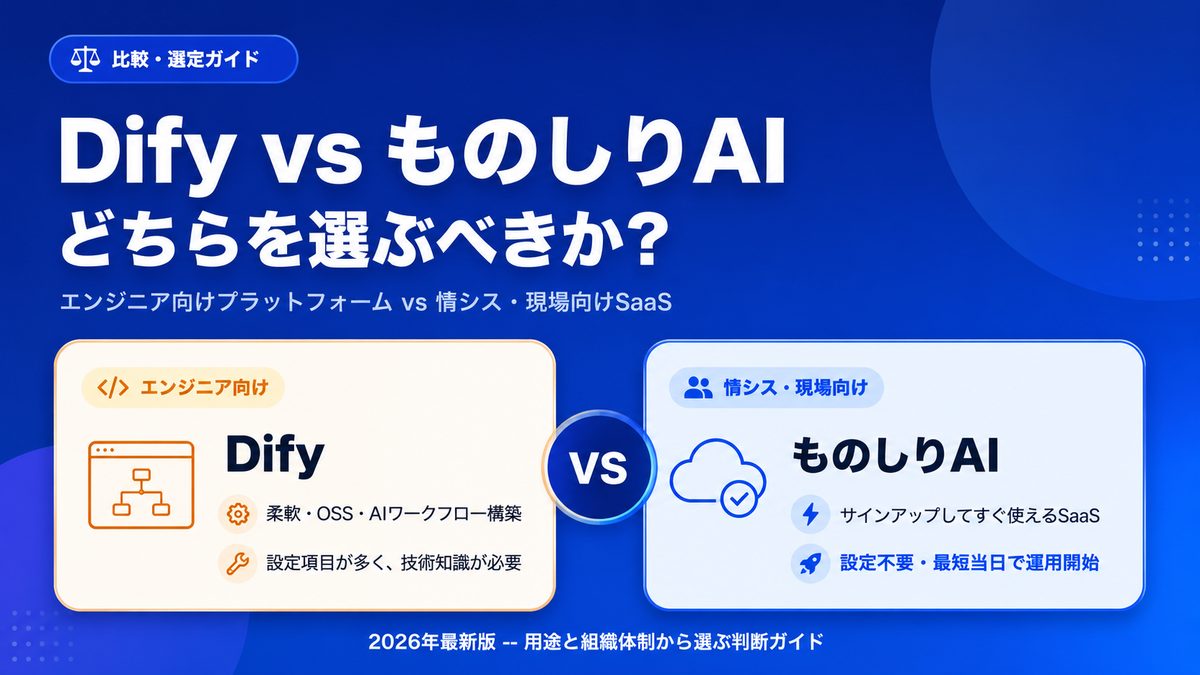
"We want AI to answer questions about our internal documents. Dify seems popular -- but can we actually run it ourselves?"
The open-source AI application platform Dify is gaining traction worldwide thanks to its flexibility. At the same time, teams that actually try to operationalize it often report that Slack integration, knowledge ingestion, and AI model selection involve far more configuration than they expected.
In this article, we compare Dify with our product Monoshiri AI -- not feature by feature, but through the practical lens of "how much setup effort does it really take?" This is not a takedown of Dify. The takeaway is simple: Dify is a great fit for engineering-led organizations, while Monoshiri AI fits IT- and business-led organizations.
What you will learn
- How Dify and Monoshiri AI are positioned (platform vs SaaS)
- The roughly nine configuration tasks Dify requires before go-live
- What "sign up and run" looks like in practice with Monoshiri AI
- A feature-and-operations comparison table
- A decision framework for picking the right one
The short answer: they are not direct competitors -- they sit at different layers
Dify and Monoshiri AI both cover the use case of "let AI answer questions about our internal documents," but the user profiles they target are clearly different.
| Dify | Monoshiri AI | |
|---|---|---|
| Positioning | AI application building platform | SaaS for internal knowledge AI |
| Primary users | Engineers, AI specialists | IT, HR/admin, business teams |
| Strengths | Flexibility, custom workflows, multi-LLM | Instant operation, no setup, company-wide rollout |
| Setup burden | High (many decisions to make) | Low (just upload and use) |
With that framing in mind, let's look at the actual "setup burden" on each side.
What Dify requires before you can go live
Dify is powerful and flexible, but even building a seemingly simple configuration -- "AI answers questions about internal docs from inside Slack" -- pulls in configuration across multiple domains.
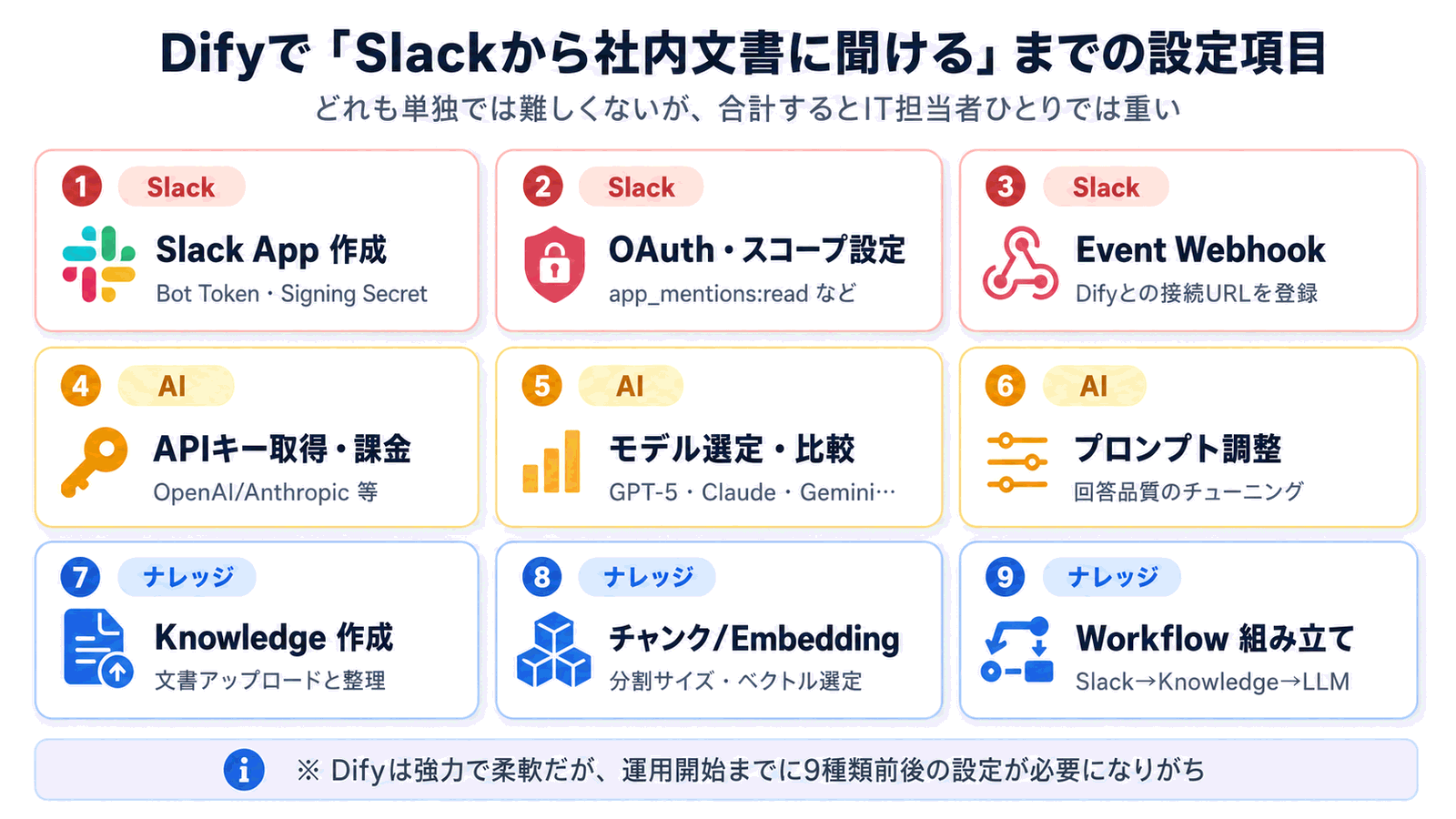
Concretely, you end up with roughly nine tasks spread across three categories.
1. Slack integration
- Create the Slack App: Create a new app from the Slack admin console and issue a Bot Token and Signing Secret
- Configure OAuth and scopes: Pick the right permissions (
app_mentions:read,chat:write,channels:history, etc.) and get them approved - Register the Event Webhook: Register your Dify endpoint URL with Slack and pass the challenge verification
Someone with Slack API experience can finish all of this in 30 to 60 minutes, but a first-time admin will spend a lot of time researching "what is the minimum permission set?" and "how do I debug a webhook that isn't firing?"
2. AI models
- Acquire API keys and set up billing: Sign up for OpenAI, Anthropic, Google, Bedrock, or others and configure payment
- Select a model: Compare GPT-5-class, Claude-class, Gemini-class models on cost, accuracy, and latency
- Tune the prompt: Tune tone, length, and citation style via prompt engineering
Dify's ability to swap between multiple models is a real strength -- but it also means the responsibility for "which model should we use?" sits on the customer's side.
3. Knowledge ingestion
- Create a Knowledge base: Create a logical container for your documents
- Choose chunk size and embedding: Pick a chunking strategy (fixed length, delimiter-based, parent-child) and an embedding model (text-embedding-3, Cohere Embed, bge, etc.)
- Build the workflow: Wire up "Slack event -> Knowledge search -> LLM call -> reply" as a flow of nodes inside Dify
This is the hardest part. A chunk size that is too large hurts retrieval accuracy; one that is too small breaks context. Embedding choice has a big impact on Japanese-language accuracy and on cost. The optimal answer depends on your document type and volume, so in practice it is something you should A/B test and tune.
The takeaway: each task is light, but the total is heavy
Taken individually, each task is the kind of thing you can "google and follow the instructions for." But researching, judging, and operating nine of these in parallel as a single IT admin is genuinely heavy. If you have a dedicated engineer in-house, Dify is a great choice. If you don't, the initial wall is high.
What Monoshiri AI requires before you can go live
By contrast, Monoshiri AI is designed as a SaaS that takes care of all the necessary setup in advance.
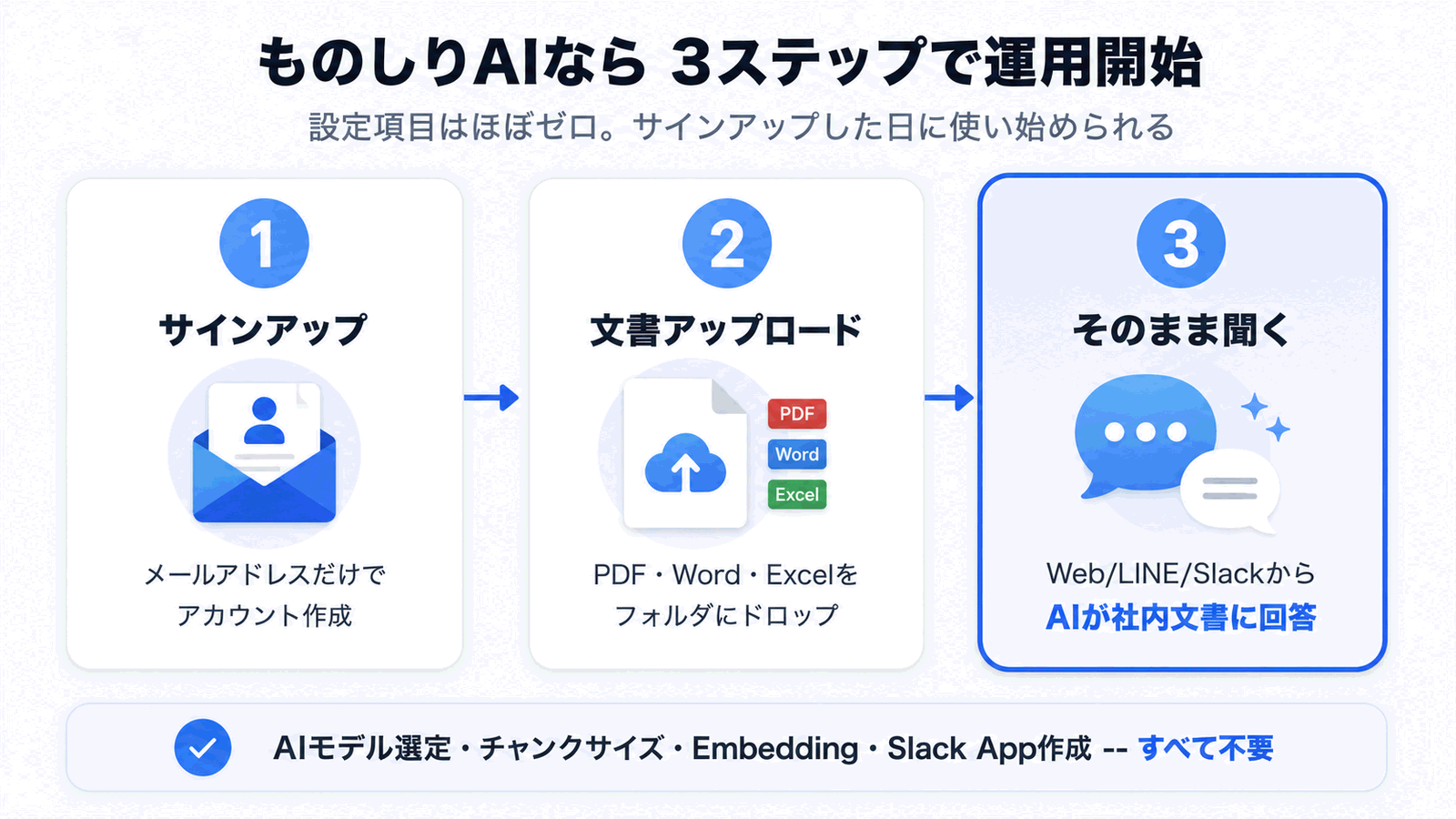
In practice, operation starts in three steps.
Step 1: Sign up
Create an account with an email address and password. You can start on the free plan -- no credit card required.
Step 2: Upload your documents
Drag and drop PDFs, Word, Excel, PowerPoint, or plain text files. No chunk size to configure. No embedding model to pick. You can organize your internal documents into "folders" by department or project (folder management feature).
Step 3: Just ask
Ask questions immediately from the admin chat, the embeddable chat widget for your website, LINE, or Slack. Slack integration is just approving Monoshiri AI's official bot in your Slack workspace -- no need to create a Slack App, configure webhooks, or manage tokens. The underlying AI model is pre-tuned for internal documents, so you don't have to pick a model either.
"Operation starts on the same day you sign up" is not marketing exaggeration -- it is the direct result of the platform absorbing Slack App creation, OAuth configuration, webhook registration, model selection, prompt tuning, chunk design, and embedding selection on your behalf.
Feature and operations comparison table
The differences above, summarized in a table.
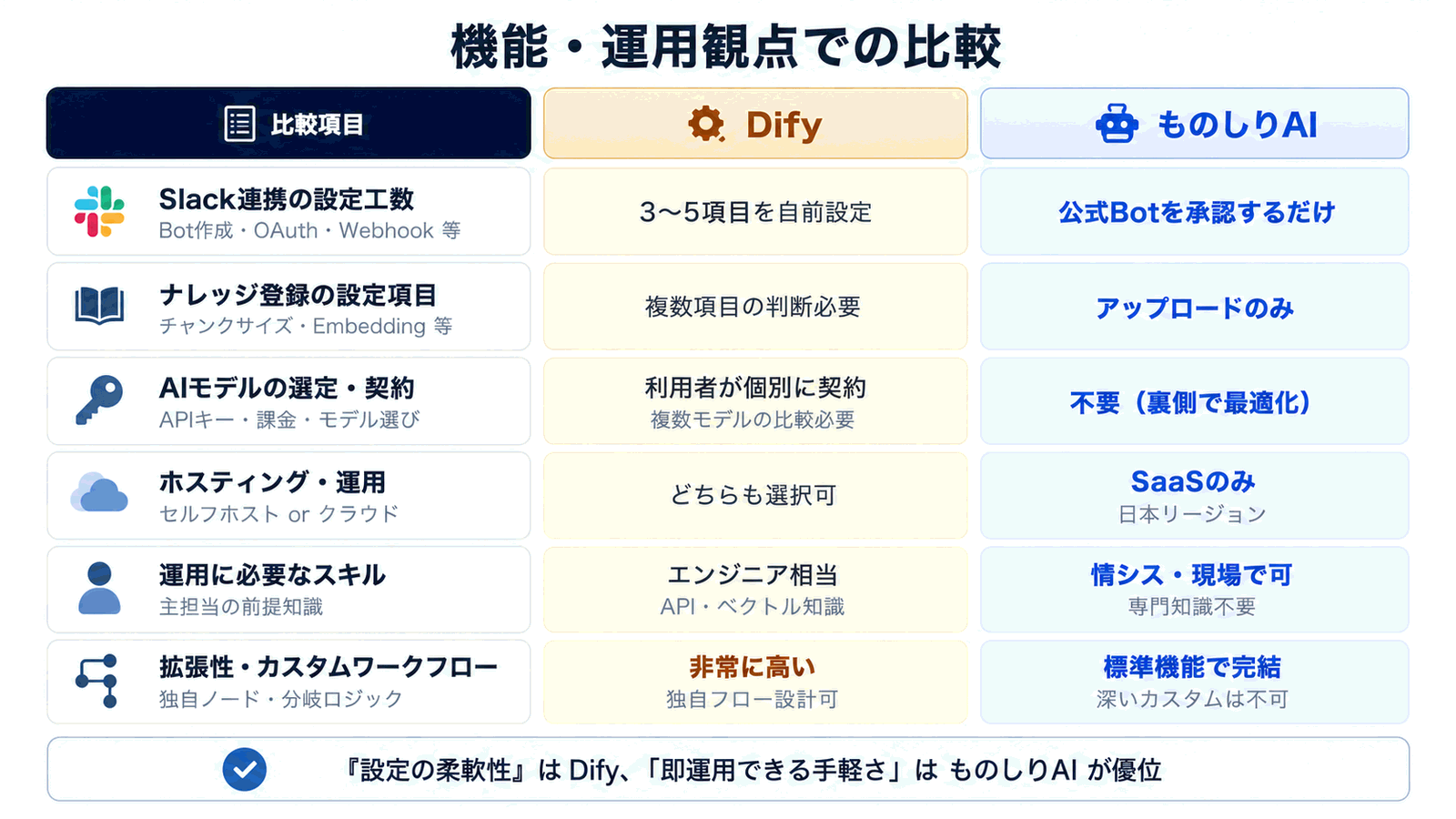
| Item | Dify | Monoshiri AI |
|---|---|---|
| Slack integration effort | 3-5 manual setup items: Slack App, OAuth, webhook, etc. | Just approve the official bot in your workspace |
| Knowledge ingestion options | Decisions required on chunk size, embedding, splitting | Upload only -- no options to configure |
| AI model selection and billing | Customer obtains API keys, pays, and compares models | None -- pre-tuned for internal documents |
| Hosting and operations | Self-host or cloud version | SaaS only (AWS Tokyo region, tenant isolation) |
| Skills required to operate | Engineer-equivalent (API and vector search basics) | Operable by IT/admin/business teams; no expertise needed |
| Extensibility and custom workflows | Very high -- you can design custom flows | Standard features only; deep customization not supported |
| Pricing | OSS is free (API costs are pay-as-you-go); cloud has paid plans | From $20/month, unlimited users |
If the priority is "configuration flexibility," Dify clearly wins. If the priority is "can we run it tomorrow?", Monoshiri AI wins. That's the honest reading.
Three places teams typically get stuck with Dify
Here are three "getting-stuck points" we hear most often from teams that have actually tried Dify. Use this as a checklist for your own evaluation.
Stuck point 1: Slack Event Webhook isn't being delivered
Whether Slack can reach your Dify public URL, and whether you've passed the Event Subscriptions challenge verification, is the first hurdle. Proxies, firewalls, and self-signed certificates can all change behavior between local development and cloud deployment.
Stuck point 2: Chunk size and retrieval quality don't line up
"The right document isn't being retrieved" or "irrelevant documents keep showing up" is almost always a chunk-size and embedding-model mismatch. When evaluating Dify, prepare 10 representative real-world questions and compare retrieval accuracy side by side. This applies not just to Dify but to any tool that uses semantic search.
Stuck point 3: API costs come in higher than expected
With Dify, model API charges flow directly into your operating costs. As employees start asking questions more frequently, it's common to see monthly costs come in at 2-3x of the initial estimate. Compared to a flat-fee SaaS, predicting operating cost with Dify is genuinely harder -- keep that in mind from day one.
With Monoshiri AI, you can go live the same day
With Monoshiri AI, none of the stuck points above even arise.
- Slack integration is just approving a bot, so there's nothing to get stuck on around webhooks or certificates
- Chunk size and embedding are fixed, so there's no combination to agonize over
- Pricing is flat per month with unlimited users, so increased usage doesn't blow up your cost forecast
On top of that, the core feature set you actually need is there:
- Document upload (PDF, Word, Excel, PowerPoint, plain text)
- Folder-level access control
- Data storage in AWS Tokyo region with tenant isolation
- Access from LINE, web chat widget, Slack, and the admin console
- Source document and page citations in every answer
"Start a PoC the same day, roll out to the whole company within a week" is hard with Dify, but a perfectly standard onboarding flow with Monoshiri AI.
How to choose: judge by use case and team composition
Finally, a decision framework for picking the right one.
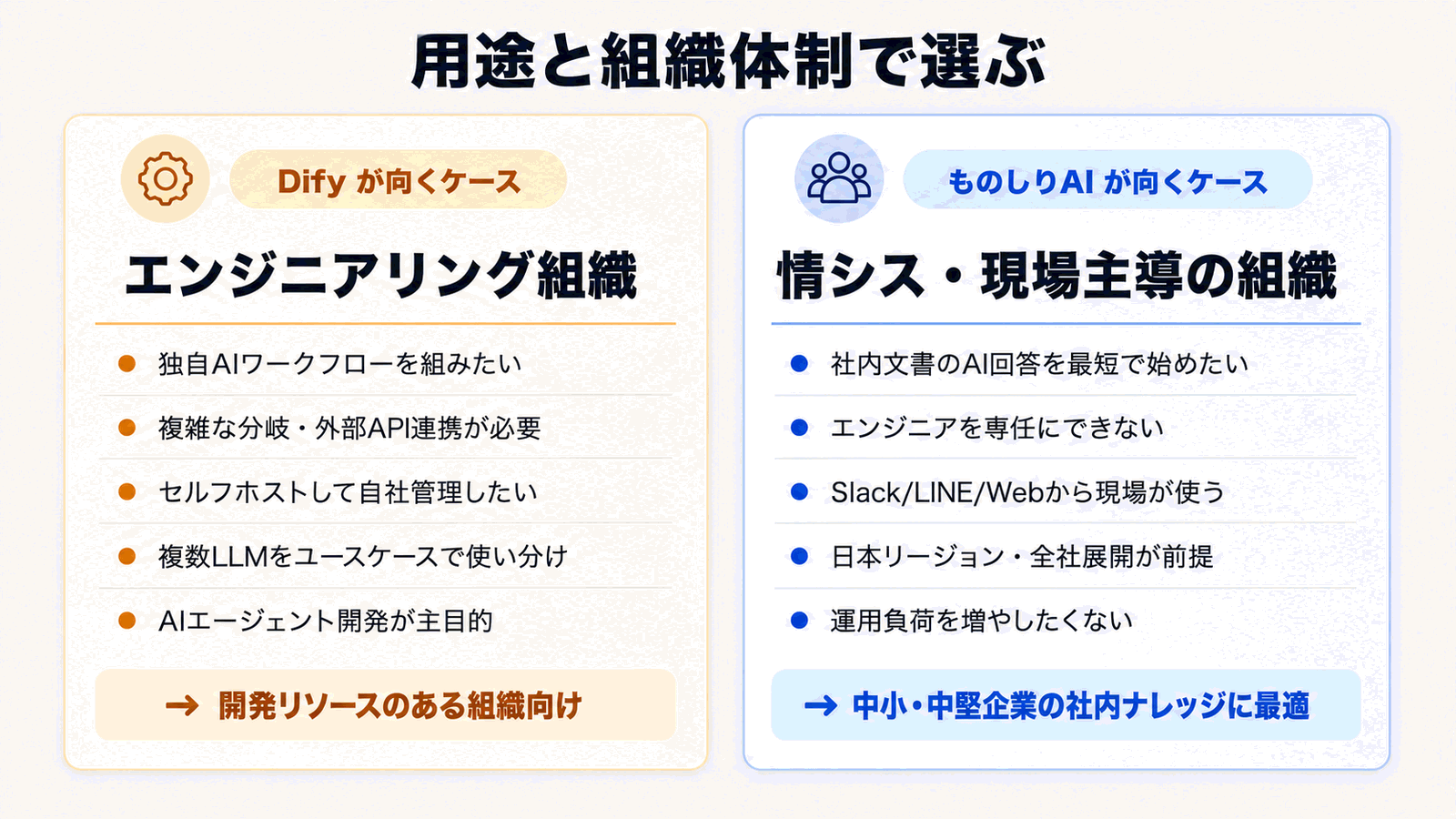
When Dify fits
- You have AI engineers in-house and want to design custom AI workflows
- You need complex branching logic or integration with multiple external APIs
- You want to self-host on your own servers
- You want to use different LLMs for different purposes (Claude for coding, GPT-5 for summarization, Gemini for search, etc.)
- You want a platform not just for knowledge AI but as a foundation for general AI agent development
For these organizations, Dify's flexibility is a significant strategic asset.
When Monoshiri AI fits
- You want to get internal-document AI live as fast as possible
- You can't dedicate an engineer -- IT, admin, or business teams will operate it
- You expect frontline staff to ask questions directly via Slack, LINE, or web
- Data residency in Japan and company-wide rollout are required
- You want to minimize operational load and want predictable, flat-fee pricing
For internal-knowledge use cases at small and mid-sized companies, Monoshiri AI strikes a better balance between operational load and cost.
Using both is also a valid option
"Use Dify as our AI-agent experimentation platform, while leaving the internal-knowledge use case to Monoshiri AI" is a perfectly natural split. Position Dify as your R&D platform and Monoshiri AI as your operations platform to get the best of both.
Summary
We compared Dify and Monoshiri AI through the lens of "how much setup and operations effort does it actually take?"
- Dify: Highly flexible and extensible, but requires roughly nine configuration items -- Slack App creation, chunk size, embedding, model selection, and more. Fits engineering-led organizations
- Monoshiri AI: The SaaS absorbs all required setup, so you go live in three steps -- sign up, upload, ask. Fits IT- and business-led organizations
- Decision criterion: Prioritize "configuration flexibility" -> Dify. Prioritize "instant operation and easy company-wide rollout" -> Monoshiri AI
- The two are less competitors than tools that sit at different layers -- splitting use cases or using both is the practical answer
If your requirement is "get internal-document AI rolled out across the whole company as fast as possible," Monoshiri AI is a strong candidate. Conversely, if your goal is "build the core AI platform for our company's strategy," Dify is well worth choosing.
For more, see our pricing plans, feature overview, and comparison with other tools to help you make the right call for your team.
Share this article
Related Articles
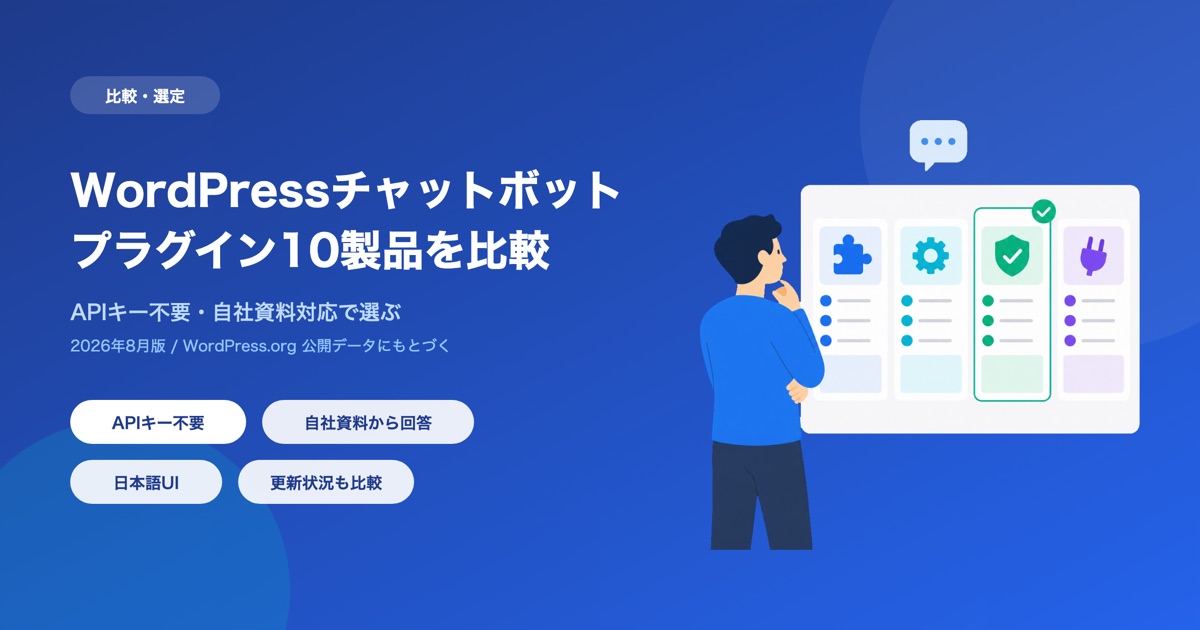
10 WordPress Chatbot Plugins Compared (2026): Choosing by API Key Requirements
A comparison of 10 WordPress chatbot plugins based on public WordPress.org data. We break them down by whether you need your own API key, whether the AI can answer from your own documents, language support, and what 'free' actually covers.
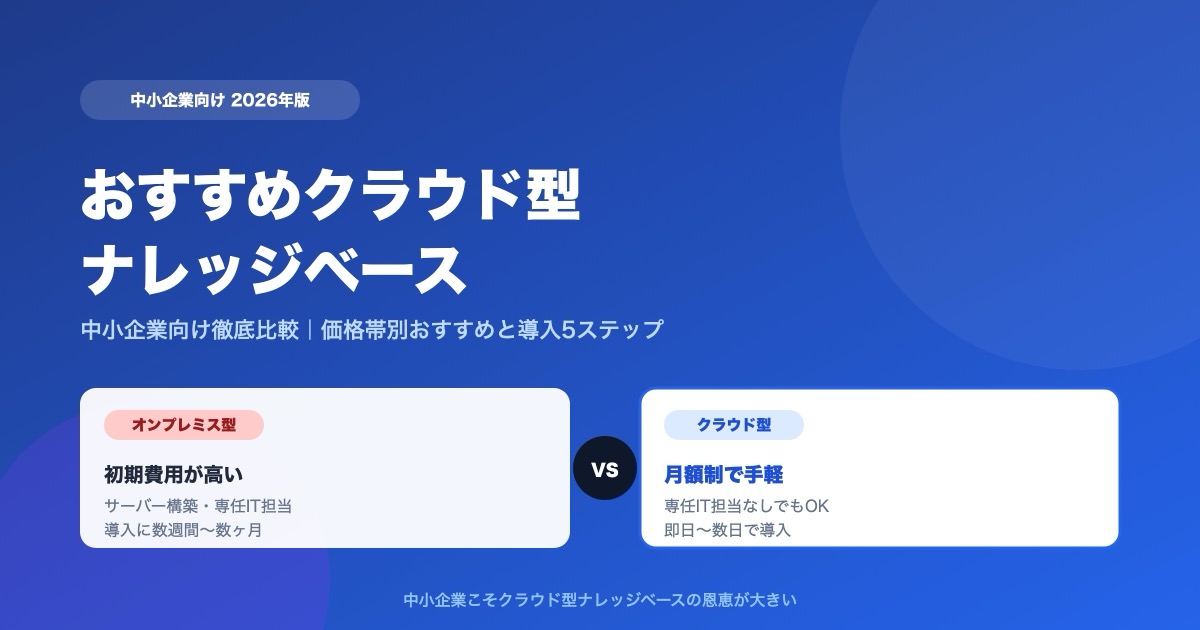
Which Cloud Knowledge Base Should You Choose? SMB Comparison and Buying Guide (2026)
For a small or midsize business, the cloud knowledge base to pick is one you can trial free and that does not charge per user. Here is why, plus selection criteria, picks by price tier, a comparison table, and a 5-step rollout.
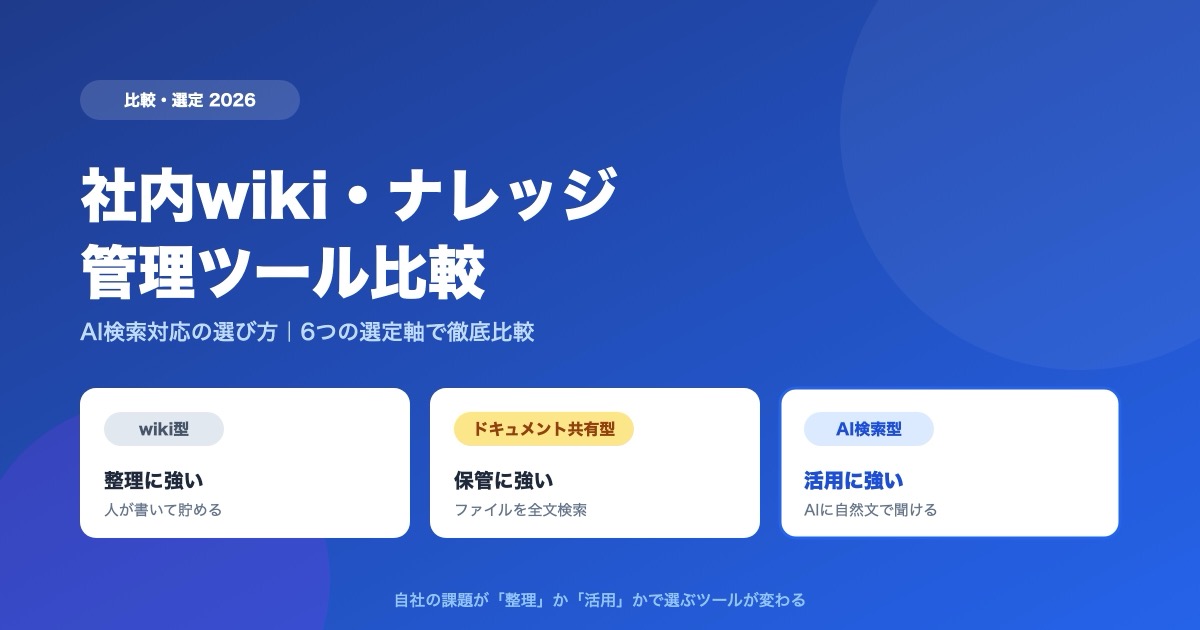
Internal Wiki & Knowledge Management Tools Compared (2026): How to Choose for AI Search
A 2026 comparison of internal wikis and knowledge management tools. Use six selection criteria for AI knowledge bases (answer accuracy, pricing, access control, ease of adoption, Japanese-language accuracy, integrations) and a side-by-side comparison table to find the right fit.


![Enterprise AI Tool Selection Guide -- ChatGPT, Gemini, Claude, NotebookLM, Notion AI, and Monoshiri AI Compared [2026 Edition]](/blog/ai-tools-comparison-2026/header.jpg)
![How to Choose an Internal Knowledge Base -- 7 Comparison Points You Can't Afford to Miss [2026 Edition]](/blog/knowledge-base-comparison-2026/header.jpg)