

Semantic search (also called meaning-based search) is a technique that finds information by how close the meaning is, not by whether the characters match. Because it can surface a document that says "annual leave" when you searched for "paid time off," it handles wording differences and phrasing variations well, and it substantially improves how findable your internal documents are.
This article does two things in one pass: it explains how the mechanism works with diagrams, and then walks you through actually running it on your own company's documents. No programming knowledge is required. Expect roughly 30 minutes to an hour, including preparing the documents.
How Semantic Search Works, in 30 Seconds
Semantic search runs in three broad steps.
- Turn meaning into numbers (embedding) -- The AI reads a piece of text and converts "what this says" into a sequence of numbers (a vector). Passages with similar meaning end up with similar numbers.
- Measure how close the meanings are -- Your question is converted the same way, then compared against the document side to pick out what is closest in meaning. Nothing has to match character-for-character.
- Return an answer -- The selected passages are either shown directly, or a generative AI uses them as grounding to write a natural-language answer.
If keyword search "looks for text that is spelled the same," semantic search "looks for text that means the same thing."
What You'll Learn
- What semantic search (meaning-based search) is and how it works
- Why keyword search fails to surface internal documents
- The differences between semantic search and keyword search (comparison table)
- A hands-on tutorial: preparing, loading, testing, and improving on your own documents
- How to diagnose and fix answers that miss (troubleshooting table)
- Where AI search stands in 2026 (moving beyond vector-search-only designs)
- How Monoshiri AI delivers "search by meaning" (the skill-tree navigation approach)
Why Keyword Search Doesn't Find Things
The search built into shared drives and file servers is keyword search: it looks for words that exactly match the string you typed.
That approach has a fundamental limit. Suppose you want to know how to request time off. You type "paid time off," but the document says "annual leave" or "PTO entitlement" -- no hit. A person would recognize these as the same thing, but keyword search only ever looks at whether the characters match.
The result is a repeating pattern:
- Trying keyword after keyword
- Giving up and going to ask "the person who knows"
- Not even knowing whether a document exists at all
According to research from the McKinsey Global Institute, knowledge workers spend roughly 20% of their working hours looking for information. Much of that time disappears into searches that find nothing.
If you want to break the failures down more precisely, Can't Find Your Internal Documents? 7 Reasons Keyword Search Fails sorts them into seven types.
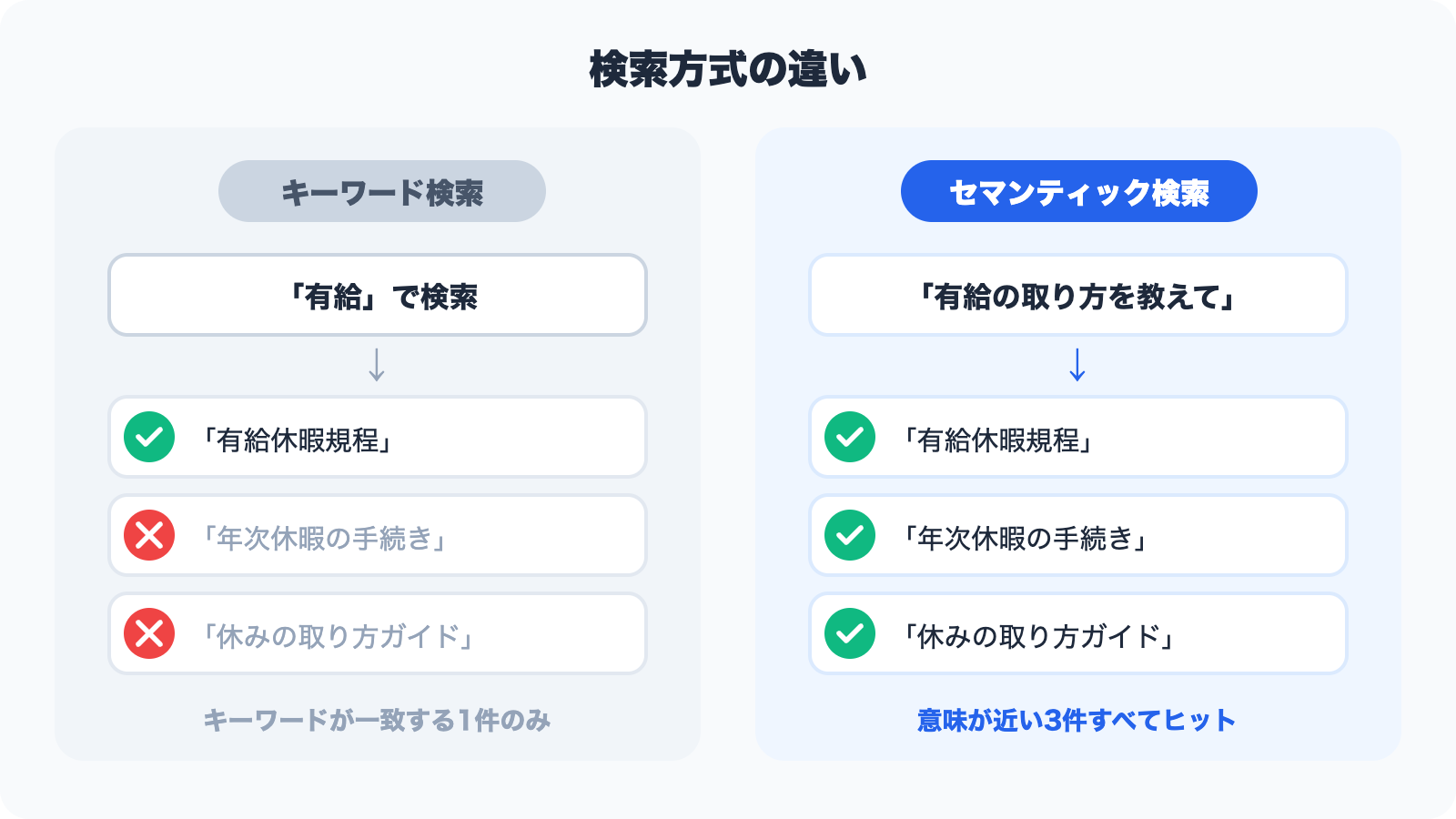
What Semantic Search Is -- Finding by Closeness of Meaning
Semantic search finds information by how close the meaning of the text is, rather than by keyword matching.
The key point is that the AI searches using the meaning behind the words, not the words themselves. Because it has learned how language is used across an enormous body of text, it can tell that "annual leave" and "paid time off" refer to the same thing. That is why it can find the document you intended even when not a single character matches.
As a result, all of the following questions land on the same document.
| How the question is phrased | What they're looking for |
|---|---|
| "How do I request paid time off?" | The leave request procedure |
| "What's the process for taking annual leave?" | The leave request procedure |
| "I want to know how to take a day off" | The leave request procedure |
To keyword search these are three different queries. To semantic search they are all understood as the same meaning.
Keyword Search vs. Semantic Search
| Criterion | Keyword search | Semantic search |
|---|---|---|
| How it searches | Exact/partial string match | Closeness of meaning |
| Wording variations | Not handled | Handled automatically |
| Natural-language queries | Weak | Strong |
| Result quality | Depends on your keywords | Interprets intent |
| Technical terminology | Requires the exact term | Plain phrasing still hits |
| Where it shines | Finding "that exact string" -- part numbers, clause numbers | Finding "content like this" |
Note that semantic search is not a strict upgrade over keyword search. When the string itself is the clue -- "the spec sheet for part number AB-2201-J" -- keyword search is more reliable. In practice, running both is the realistic answer.
Hands-On Tutorial: Trying Semantic Search on Your Internal Documents
Here's the part that matters. Reading about the mechanism won't tell you whether it works on your documents. The following walks through getting to a working meaning-based search using files you already have.
The steps below use the free plan of Monoshiri AI as the example, but the approach applies to other AI knowledge bases as well.
Step 0: Choose the documents and questions you'll test with (about 10 minutes)
The first thing to do is not to open the tool -- it's to pick your subject matter. Skip this and you'll finish with a vague sense that "it kind of worked."
You need two things.
(1) Pick 5 to 20 files
Do not load your entire company's documents at once. Choosing files that meet these conditions makes the results far easier to judge:
- Topics that generate a lot of questions (expenses, leave, onboarding, common product questions)
- Content that is currently correct (don't mix in outdated or soon-to-be-retired versions)
- Whatever format you already use -- PDF, Word, Excel, PowerPoint
(2) Write 10 test questions
Write down questions people have actually asked, in the words they actually used. The trick is to mix these three kinds:
| Kind | What it tests | Example |
|---|---|---|
| Wording mismatch | Can you ask using different words than the document uses? | Document says "annual leave" -- ask "how many PTO days do I get?" |
| Natural language | Does conversational phrasing work? | "Do I have to pay for the train ticket up front when I travel for work?" |
| Multi-document | Can it span more than one file? | "How many leave days does a mid-career hire get in year one, and who approves the request?" |
The gap against keyword search shows up overwhelmingly in the wording-mismatch and natural-language types. Keep these 10 questions -- you'll reuse them for evaluation.
Step 1: Upload the documents (about 5 minutes)
Upload the files you selected. You don't need to rewrite existing manuals or policy documents, or reshape them for the AI. Start by loading exactly what you already have.
Splitting them into folders by theme -- "HR," "Expenses" -- lets you set per-department access controls later. Folder-level management is covered in detail on the features page.
Step 2: Wait while the AI organizes the content (5 to 15 minutes)
The uploaded documents are read automatically and organized by topic. In Monoshiri AI's case, this is where a skill tree (a table of contents built for the AI) is constructed automatically.
There is no registering question-and-answer pairs one at a time the way traditional chatbots require. The only human task in this step is waiting.
Step 3: Ask your 10 questions (about 10 minutes)
Once it's ready, ask from the admin console, LINE, or a chat widget embedded in your website. Use the 10 questions from Step 0 word for word, without rephrasing them.
Record three things for each one:
- Was the answer correct? (yes / partly / no)
- Was the document cited as the source the one you expected?
- If not, which document should it have gone to?
If 7 or more of the 10 come back correct, that area is ready for real use. These records become the input for the next step.
Step 4: Fix the misses (about 10 minutes)
Semantic search isn't set-and-forget. But what you fix is usually not a search setting -- in most cases it's the documents themselves. Here are the common causes and remedies.
| Symptom | Common cause | Fix |
|---|---|---|
| Returns "no relevant information" | No document covers it at all | Write down the process that only existed verbally, on one page |
| Returns outdated information | Both old and new versions are loaded | Delete the old version (the AI can't tell which one is newer) |
| Mixes in another department's content | Folder separation is too coarse | Split folders by theme and by department |
| Right content, vague answer | The document is only fragmentary bullets with no framing | Add a heading and a one- or two-sentence summary at the top of each section |
| Can't read tables or scanned PDFs | The text is stored as an image | Re-export as a text-bearing PDF, or transcribe the table into the body |
For more on writing documents the AI can answer from, see How to Write Knowledge That AI Can Answer From.
Step 5: Expand the scope
Once the 10 questions are consistently right, add folders one at a time. In practice, stacking up topic-by-topic wins earns internal buy-in far more effectively than loading everything on day one.
We've written up how to approach the early rollout in Your First 30 Days with a Knowledge Base.
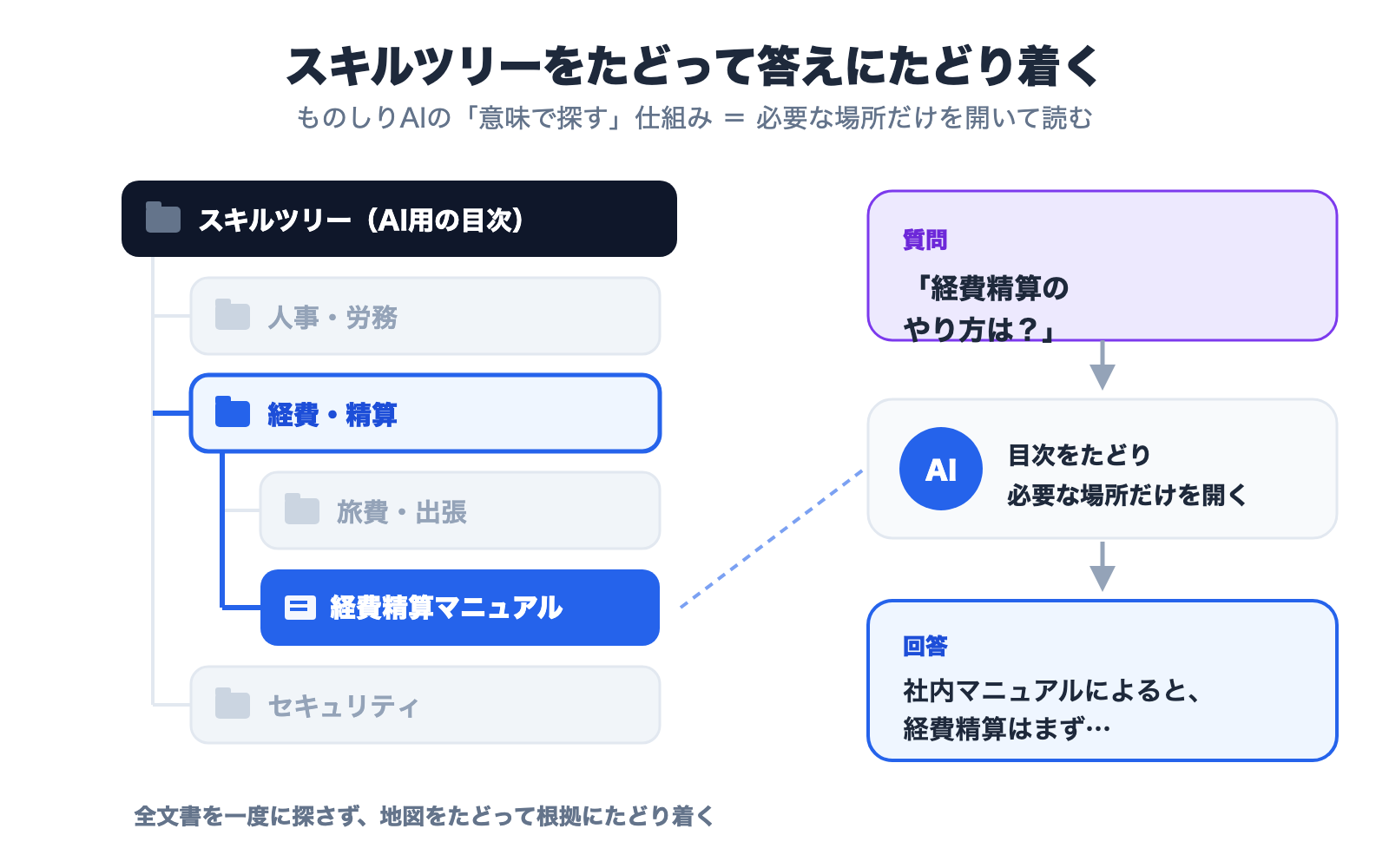
How Monoshiri AI Searches by Meaning -- Navigating a Skill Tree
Step 2 of the tutorial said "the AI organizes the content." Here's a closer look at what actually happens there.
The key idea is the skill tree. Think of it as a folder-style table of contents that organizes your internal documents so the AI can work with them easily.
Up front: organizing knowledge into a "map of skills"
When you upload documents, Monoshiri AI first reads all of them and automatically builds a hierarchical table of contents (the skill tree) grouped by topic. Picture a "map of skills" like the table of contents in a book, or a shared drive -- branching from broad themes such as "HR," "Expenses," and "Security" down into finer topics beneath them.
This map is built once at upload time, not on every question.
At answer time: the AI opens only the places it needs
When a user asks something, the AI navigates the map from the top down. It looks at the table of contents, picks the themes that seem relevant, looks deeper inside, and opens only the pages it needs -- much like a person hunting for an answer in a thick manual.
In other words, Monoshiri AI doesn't sweep the whole document set. It follows the map, deciding "this is where to look," and opens only those places. Because it never opens the irrelevant parts, the grounding stays clear and unrelated information is less likely to mislead it.
The reason Step 3 asked you to check "the document cited as the source" is precisely so a human can verify that this path was reasonable.
What Is RAG? The Best-Known Way to Search Internal Documents with Generative AI
The most widely known method for searching internal documents with generative AI is RAG (Retrieval-Augmented Generation), a technique proposed by Meta AI Research in 2020 and used in many AI services.
RAG works in two main steps:
- Retrieval: gather documents from your internal files that seem relevant to the question
- Generation: have the generative AI write a natural-language answer based on what was gathered
The point is that the AI grounds its answer in your documents rather than in "what it already knows." This suppresses the hallucination problem -- plausible-sounding but factually wrong answers -- that plagues general-purpose AI chat. Ask "how do I get reimbursed for travel expenses?" and the AI locates the relevant passage in your expense manual and answers with the grounding shown: "According to company policy, travel expenses are..."
Semantic search has been widely used as the "retrieval" half of RAG.
How Semantic Search's Role Changed by 2026
In the early 2020s, AI search over internal documents almost always meant one architecture: split documents into small chunks, embed them, store them in a dedicated vector database, and pull the nearest ones on every question. As of 2026, that premise has shifted in three ways.
1. Models can read far more at once
The context length major LLMs can handle has grown year over year, reducing the need to desperately assemble only the fragments that seem relevant. For something the size of a single policy handbook, feeding the whole thing can now produce better answers. Is RAG Already Outdated? Knowledge Base Design in the Long-Context Era compares the options.
2. Attention moved from "retrieval" to "designing how you search"
Context engineering -- deliberately designing what you hand the model and in what order -- has become a widespread way of thinking, because the same document set produces different answer quality depending on how it's presented. Simply passing the top N most similar chunks is now recognized to have a known weakness: the grounding arrives in disconnected pieces and the context breaks.
3. Letting the AI go looking for itself became practical
Rather than stopping after a single retrieval, the AI reads a table of contents, drills down where needed, and goes elsewhere when something is missing. This navigation-style approach is now in production use. Monoshiri AI's skill tree is part of this lineage.
The upshot: the 2026 question isn't "should we use vector search?" but "how should we present internal documents to the AI?" The value of semantic search itself -- resilience to wording variation, the ability to ask in natural language -- hasn't changed. What changed is that there's now more than one way to deliver it.
We work through the reasoning in Is "You Don't Need RAG" True? 6 Criteria for Internal Knowledge AI as well.
Frequently Asked Questions
Q. Do I need an engineer to adopt semantic search?
Not if you use a SaaS AI knowledge base. The tutorial in this article requires only uploading files and asking questions. Building it yourself does require engineering.
Q. How many documents before it starts to help?
Coverage of the topics that generate the most questions matters more than volume. Even 5 to 20 files produce a noticeable effect if they cover a high-traffic area.
Q. How is this different from an existing chatbot?
Traditional chatbots require pre-designed "scenarios" and can't handle unexpected questions. AI search built on semantic search references document content directly, eliminating scenario design and covering a much wider range of questions. Learn more on the comparison page.
Q. I'm nervous about putting internal documents in the cloud.
Check that encryption, access control, and per-organization data isolation are implemented as standard. What Monoshiri AI covers is described on the security page.
Q. What does it cost?
Subscription pricing is the norm. The reliable path is to run the tutorial in this article on a free plan first, confirm the effect, and then consider a paid plan. See the pricing page for specifics.
Summary
This article covered how semantic search works and how to try it on your own internal documents.
- What semantic search is: finding information by closeness of meaning rather than character matching
- How it works: convert meaning into numbers, measure the distance to the question, answer from that grounding
- When to use which: keyword search for part numbers and clause numbers, semantic search for "content like this"
- How to try it: prepare 5 to 20 documents and 10 test questions, then load, ask, record, and fix -- one full cycle
- When it misses, fix the documents: deleting old versions, splitting folders, and adding summaries resolves most cases
- The 2026 question: not whether to use vector search, but how to present internal documents to the AI
Documents that exist but can't be found quietly erode productivity every day. Start with a single high-traffic topic and check whether search time actually goes down.
Related Articles
- What Is RAG? A Plain-Language Guide to the Mechanism Transforming Internal Document Search
- Can't Find Your Internal Documents? 7 Reasons Keyword Search Fails (and Fixes)
- Is "You Don't Need RAG" True? 6 Criteria for Internal Knowledge AI
- Is RAG Already Outdated? Knowledge Base Design in the Long-Context Era
- A Guide to Choosing Internal AI Tools -- 6 Major Tools Compared (2026)
Share this article
Related Articles
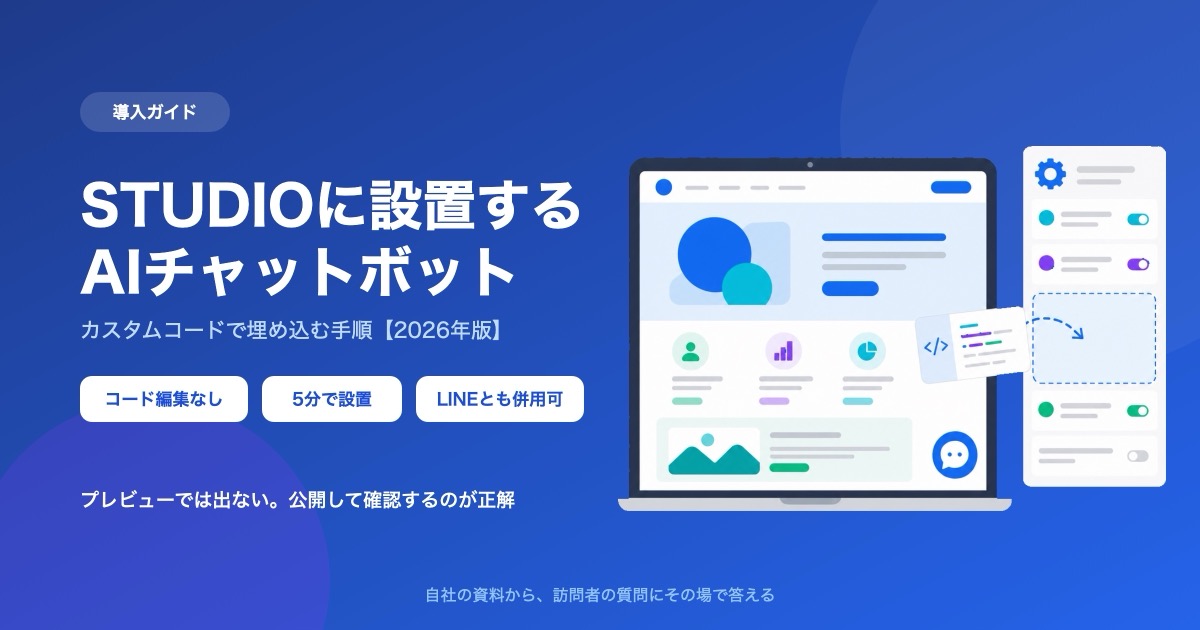
How to Add a Chatbot to STUDIO -- The Custom Code Method, Step by Step (2026)
How to install an AI chatbot on a site built with STUDIO, following the actual settings screen. Covers why a paid plan is required, why nothing shows up in preview, and why the Embed box is the wrong place for it.
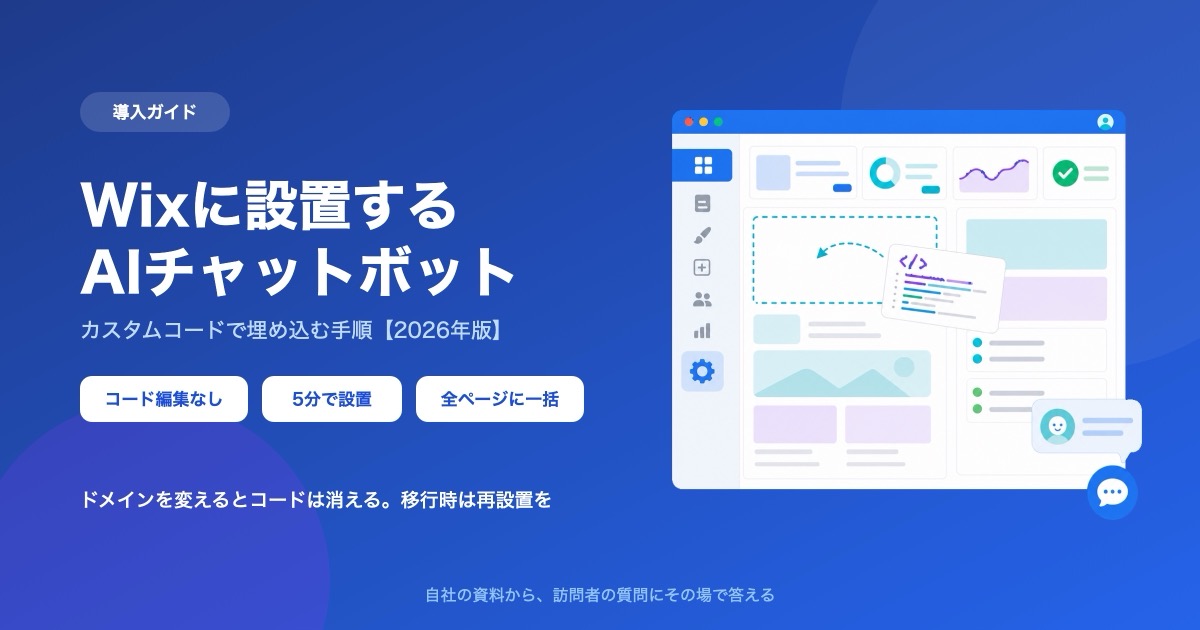
How to Add a Chatbot to Wix -- The Custom Code Method, Step by Step (2026)
How to install an AI chatbot on a Wix site, following the actual dashboard screen. Covers why a connected domain is a prerequisite, the spec where changing domains deletes your snippet, and how it differs from the built-in chat.
How to Add a Chatbot to Shopify -- The Custom Liquid Method, No App Required (2026)
Three ways to install a chatbot on a Shopify store, compared, plus the step-by-step Custom Liquid method that needs no app. Covers the theme-swap trap that silently removes it, why it cannot appear on checkout, and how far a free plan goes.

![Automate Website Inquiries with AI -- A Chat Widget Implementation Guide [2026 Edition]](/blog/chat-widget-guide/header.jpg)