"We spend hours every day answering the same questions on our website." "We're losing potential customers because no one's available to respond after business hours." "We built an FAQ page, but visitors can't find it and end up calling or emailing us anyway."
These are frustrations we hear all the time from teams managing website inquiries. In this article, we'll walk you through AI chat widgets -- a solution that tackles all of these problems at once. Updated with the latest information as of April 2026, we cover setup steps, selection criteria, and introduce a new option that requires no scenario design and starts at just 2,980 yen/month.
What You'll Learn
- Common challenges with handling website inquiries
- How AI chat widgets work and how they differ from traditional chatbots
- The 3-step implementation process
- Use cases by industry and purpose
- Pricing comparison of RAG-powered services (as of April 2026)
Common Challenges with Website Inquiries
Whether you run a B2B SaaS site, an e-commerce store, or a service website, chances are you're dealing with these issues:
1. The same questions keep coming in
"How much does it cost?" "How long does setup take?" "Can I return this?" The same questions arrive day after day, eating up your support team's time. Even with an FAQ page in place, users who can't find it resort to phone calls and emails -- so the workload never decreases.
2. After-hours inquiries lead to lost opportunities
Many inquiries come in outside of business hours or on weekends. In B2C markets where response speed matters, a reply that doesn't come until the next business day can drive customers to a competitor. Even in B2B, it hurts the user experience when people can't get answers right away.
3. Triaging inquiries takes too long
Just figuring out whether an inquiry should go to sales, support, or accounting eats up valuable time. Worse, you often discover after the fact that it was a routine question -- and the inefficiency compounds over time.
4. FAQ pages go unused
Even when you invest in building a comprehensive FAQ page, visitors don't follow the navigation path to find it. They just want a direct, specific answer to their question. If the information architecture isn't right, even great content won't get used.
What Is an AI Chat Widget?
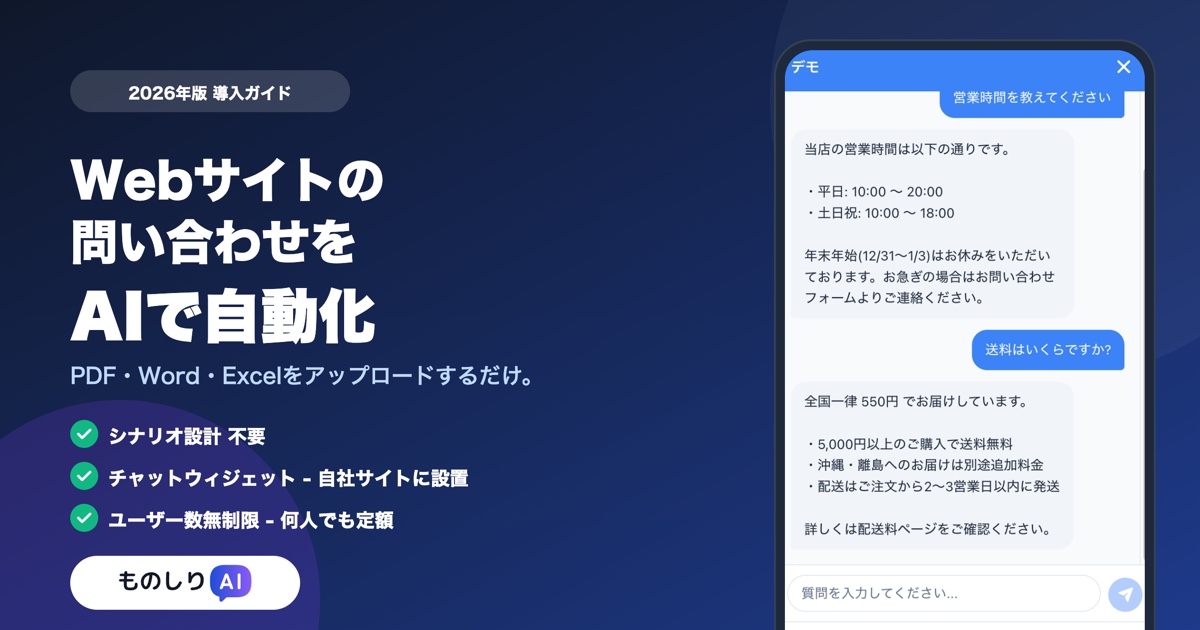
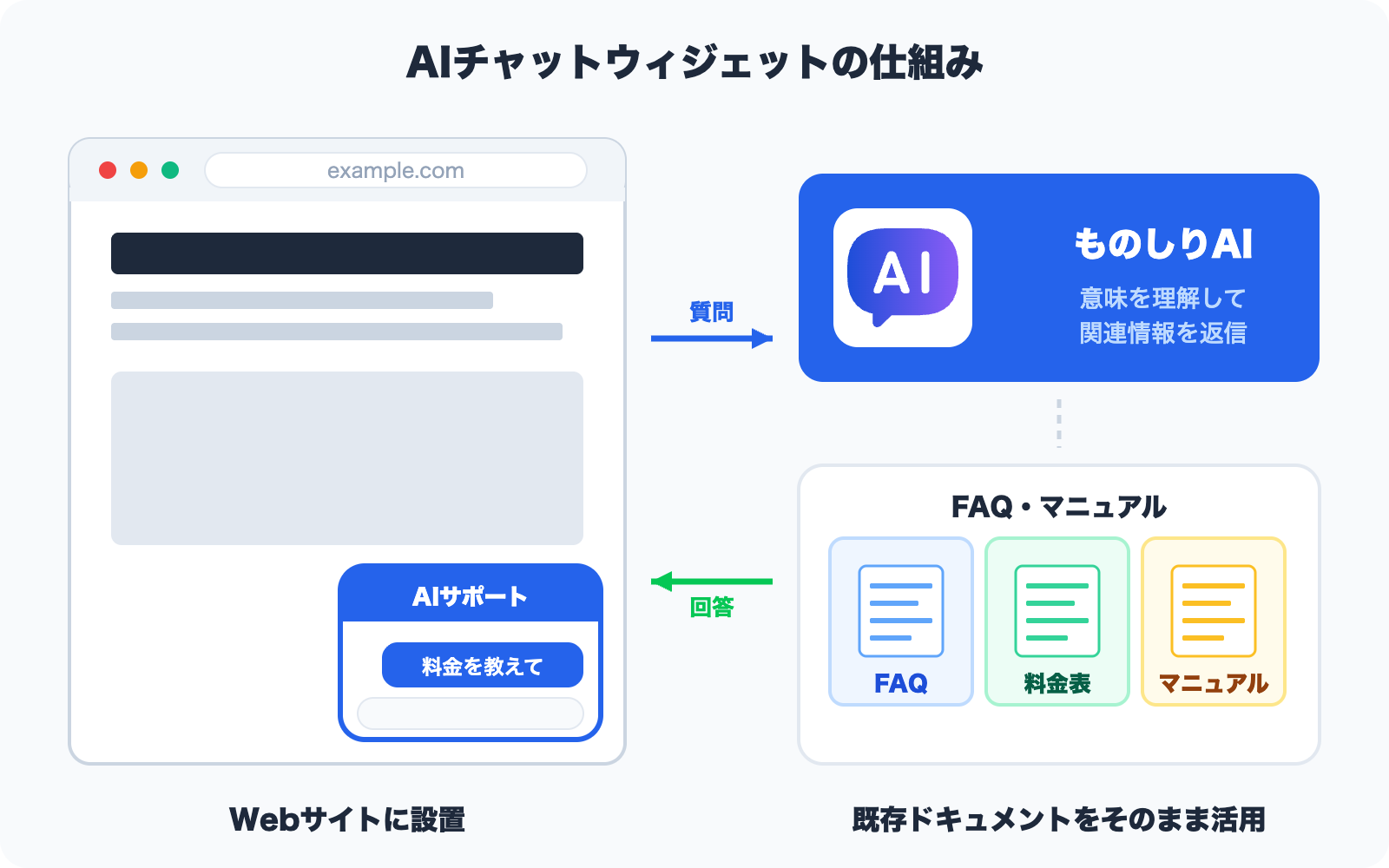
An AI chat widget is a small chat interface that sits in the corner of your website -- typically the bottom right. When a visitor types a question in natural language, the AI draws on your site's content to deliver an instant answer.
Three Types of Chatbots and the "RAG" Difference
Although they're often lumped together as "chatbots," there are actually three distinct types. As of 2026, the most notable is the third: RAG-powered (AI-driven) chatbots.
| Type | How It Works | Response Scope |
|---|---|---|
| Scenario-based | Follows manually configured "if A, then ask B" rules | Only pre-defined branches |
| FAQ-based | Selects the best match from pre-registered Q&A pairs | Only registered Q&As |
| RAG-powered (AI-driven) | Ingests source documents (PDF, Word, etc.) and generates answers via semantic search | Anything covered in the documents |
RAG (Retrieval-Augmented Generation) is an approach where your own documents are ingested, and the AI searches and summarizes their content to answer questions. There's no need to manually register Q&A pairs -- you simply upload your documents and you're ready to go. This is a game-changer.
Monoshiri AI's chat widget falls into the RAG-powered (AI-driven) category.
How RAG Differs from Traditional Chatbots (Scenario / FAQ)
"We looked into chatbots before, but gave up because building scenarios seemed like too much work." We hear this a lot. The difference in implementation and operational overhead between traditional and RAG-powered chatbots is significant.
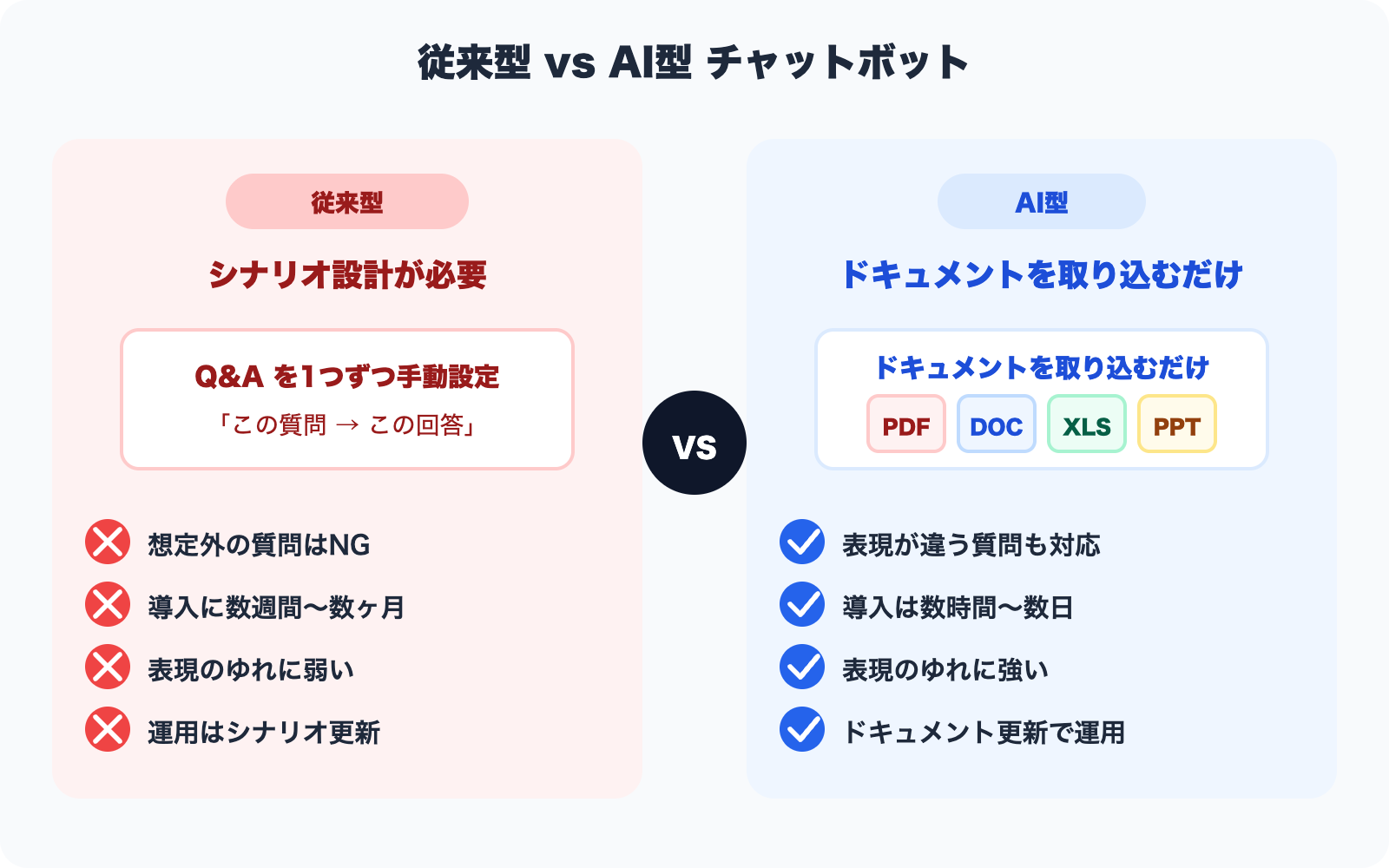
| Aspect | Traditional (Scenario / FAQ) | RAG-Powered (AI-Driven) |
|---|---|---|
| Initial setup | Manually create scenario branches or Q&A pairs one by one | Upload existing documents |
| Coverage | Only pre-anticipated questions | Anything in the documents |
| Handling variations | Weak (exact match or keyword-based) | Strong (understands meaning) |
| Time to deploy | Weeks to months | Hours to days |
| Operational overhead | Continuously maintain scenarios / Q&As by hand | Just keep documents updated |
RAG-powered solutions win on every front: handling unexpected questions, deployment speed, and operational overhead. That said, for use cases requiring strictly controlled responses (e.g., regulatory replies in finance or healthcare), traditional chatbots may still be the better fit.
3 Steps to Get Started
Implementing an AI chat widget is dramatically simpler than traditional chatbots. Here's the typical process in three steps, using Monoshiri AI as an example.
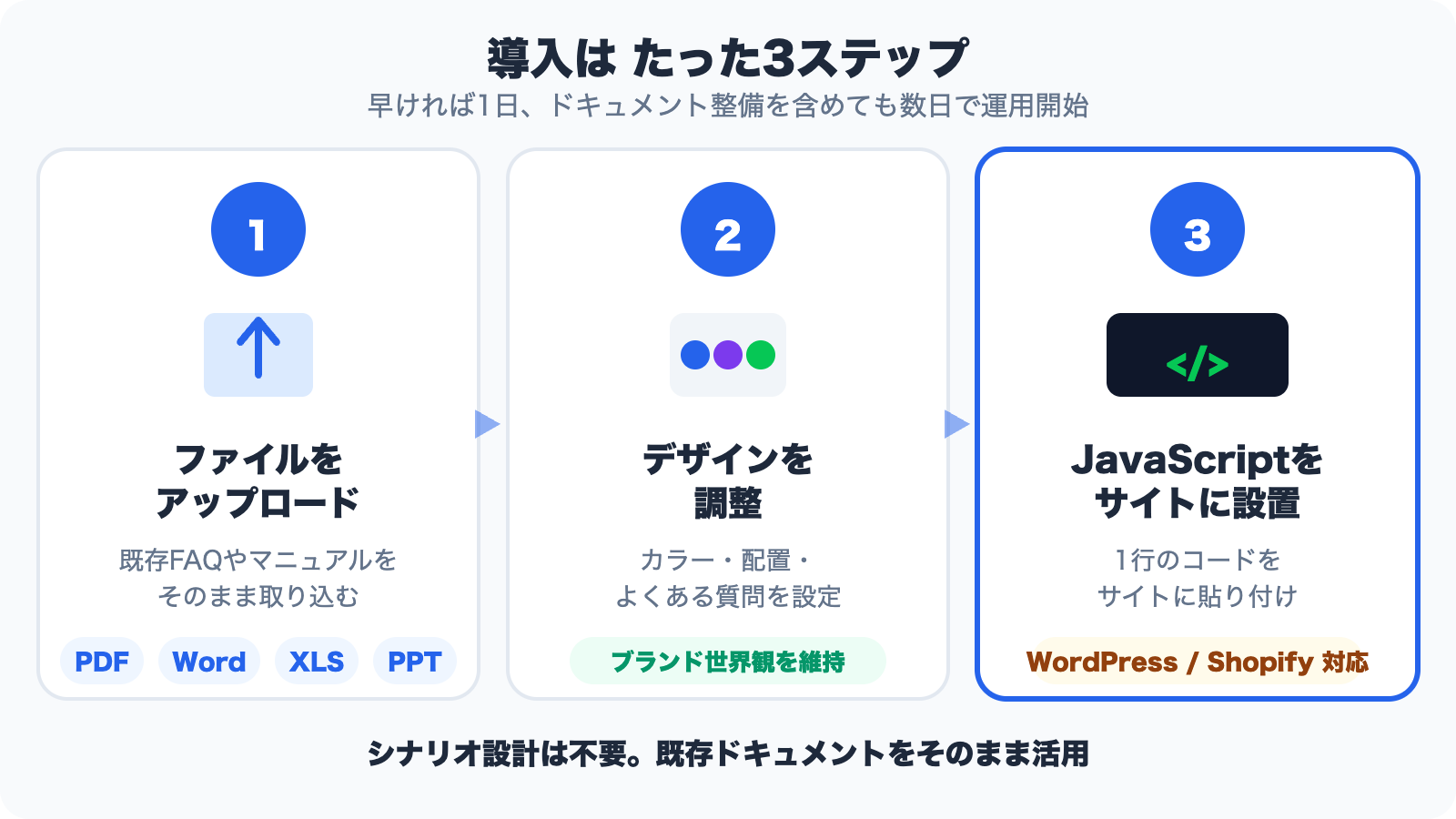
Step 1: Upload Your Files
Upload your existing FAQ pages, support documents, and other materials as-is in PDF, Word, Excel, or other formats. No need to rewrite anything. After upload, the AI automatically processes the content and makes it searchable (this takes just a few minutes).
Examples of documents you can upload:
- Existing FAQ pages and support documents
- Product catalogs and pricing sheets
- Terms of service and privacy policies
- Common troubleshooting guides
- Onboarding manuals and tutorials
Step 2: Customize the Design
Use the admin dashboard to adjust the chat widget's appearance to match your site. You can maintain your brand's look and feel seamlessly.
- Theme color (match your brand colors)
- Button position (bottom-right, bottom-left, etc.)
- Suggested questions -- pre-register question prompts that visitors can click for instant answers (e.g., "What are the pricing plans?" "How long does setup take?")
Step 3: Add the JavaScript to Your Site
Simply paste the generated embed code (a JavaScript snippet) before the </body> tag on your website, and a chat interface will appear in the bottom-right corner. It works with WordPress, Shopify, Webflow, and virtually any CMS or website builder.
<script src="https://monoshiri.ai/widget.js" data-key="YOUR_KEY"></script>
Add this single line to your site, and you're live.
Estimated deployment time: As fast as one day, or one to two weeks if you need time to organize your documents.
Use Cases by Industry
AI chat widgets are being used across a wide range of industries and purposes.
1. B2B SaaS Sites -- Answering Questions About Pricing, Features, and Setup
SaaS websites are flooded with questions about pricing plan differences, feature details, and time to deploy. For prospects who want to self-serve before talking to sales, an AI chat widget provides instant answers -- dramatically improving the user experience during the pre-sales research phase.
2. E-Commerce Sites -- Handling Returns, Shipping, and Inventory Questions
E-commerce sites receive a high volume of pre- and post-purchase questions (return policies, shipping times, stock availability). By automating these routine questions with an AI chat widget, many businesses have been able to cut phone and email support workload by more than half.
3. Recruiting Sites -- Answering Questions About Job Listings and the Hiring Process
Candidates visiting your careers page want immediate answers about the hiring timeline, remote work options, and post-hire training. Instant responses via an AI chat widget help prevent application drop-off and improve the candidate experience.
4. Service Websites -- Fielding Questions About Pricing and Service Scope
For professional firms, consultancies, and clinics, common inquiries include estimated pricing, scope of services, and booking procedures. An AI chat widget can automate first-touch responses, reducing the triage workload significantly.
5. Internal Portals -- Double-Duty as an Internal FAQ
With Monoshiri AI, you can also embed the widget in your internal portal to serve as a company-wide FAQ. Combined with LINE integration, it's possible to centralize information access for both internal and external audiences.
5 Key Criteria for Choosing a Solution
The market for AI chat widgets is growing, but keep the following criteria in mind during your evaluation.
1. Is it actually RAG-powered?
Many products marketed as "AI chatbots" are really just scenario-based or FAQ-based under the hood. Make sure the service can ingest your documents and generate answers via semantic search (RAG). Solutions that require you to register Q&A pairs one by one will create significant operational overhead.
2. Supported file formats
Check whether the service supports the formats your existing content is in. If it handles PDF, Word, Excel, and PowerPoint, you can use your existing materials as-is.
3. Pricing model (flat-rate vs. usage-based)
- Per-user pricing: Cost per user -- disadvantageous if your site has high traffic
- Per-response pricing: Plan tiers based on monthly response volume -- more predictable
- Per-resolution usage-based: Common among international players like Intercom Fin. Good for starting small, but harder to forecast costs
For smaller sites, a flat-rate or monthly-response-volume-based pricing model is the safest bet.
4. Ease of implementation
Check whether generating and installing the embed code is straightforward, and whether major CMSs (WordPress, Shopify, etc.) are supported.
5. Security and response accuracy
Data storage location (is it in a domestic data center?), mechanisms to restrict sensitive information (folder-level access controls), and whether your data is used for AI training -- these are critical when preparing internal approval documents.
Pricing Comparison (April 2026 -- RAG-Powered Services Only)
Important: "AI-Powered" Doesn't Always Mean RAG
There are numerous chatbot services on the market, but only a limited number actually support RAG -- ingesting your documents so the AI can generate answers from them.
Many products fall into one of these categories, which are not RAG:
- Scenario-based (rule-driven branching)
- FAQ-based (pre-registered Q&A pair matching)
- Keyword search (AI is only used for question classification)
Below is a comparison of major services with officially confirmed RAG capabilities as of April 2026.
RAG-Powered Service Pricing Comparison
| Service | Monthly Price | Setup Fee | Pricing Model | Key Features |
|---|---|---|---|---|
| Monoshiri AI (Light) | From 2,980 yen | 0 yen | Flat rate by monthly responses | Document ingestion, unlimited users, LINE integration included |
| Zoho SalesIQ Enterprise | From $25/operator (~3,750 yen) | $0 | Per-operator | Zia AI + OpenAI integration |
| ChatPlus AutoAI | From 50,000 yen | Contact sales | Flat monthly rate | GPT integration, vectorized RAG |
| Zendesk Advanced AI | $115/agent + $50 (~24,750 yen/person) | $0 | Per-agent + AI add-on | Generative Answers feature |
| Intercom Fin AI | Plan fee + $0.99/resolution (~149 yen/resolution) | $0 | Per-resolution usage-based | GPT-4 based, major global player |
| OfficeBot Neo | From 150,000 yen | From 350,000 yen | Flat monthly rate | Azure OpenAI integration, internal document focus |
| AI Messenger Chatbot | Contact sales | Yes | Custom | Proprietary AI, CyberAgent group |
| Helpfeel | Contact sales | Contact sales | Custom | Intent-prediction search + generative AI |
| sAI Chat | Contact sales | ~300K-1M yen est. | Custom | Pre-trained AI |
| KARAKURI chatbot (assist/Gen) | Contact sales | Contact sales | Custom | Deep learning + proprietary LLM |
| PKSHA ChatAgent | Contact sales | Contact sales | Custom | Japanese-specialized LLM + RAG |
Exchange rate: 1 USD = 150 yen. Prices are based on official sources but may change. Please verify on each provider's website.
Three Pricing Tiers
As of April 2026, the RAG-powered chat widget market breaks down into three pricing tiers:
1. SMB / Low-Cost Tier (up to ~50,000 yen/month)
- Monoshiri AI from 2,980 yen / Zoho SalesIQ from $25
- Accessible for small and medium businesses and sole proprietors
- Zero setup fees, flat-rate pricing for easy cost forecasting
2. Mid-Range Tier (~50,000-150,000 yen/month)
- ChatPlus AutoAI from 50,000 yen / Zendesk Advanced AI ~24,750 yen/person / Intercom Fin AI (per-resolution)
- Aimed at mid-sized customer support teams
- International providers often use per-seat or per-resolution pricing
3. Enterprise Tier (150,000+ yen/month)
- OfficeBot from 150,000 yen / AI Messenger / Helpfeel / KARAKURI / sAI Chat / PKSHA (all contact-sales)
- Built for large enterprise customer support operations
- Includes pre-training, dedicated support, and custom tuning
Many Non-RAG Services (Scenario / FAQ) Also Exist
Even products that claim to be "AI chatbots" may not support RAG. The following are not RAG-powered (scenario or FAQ-based) as of April 2026:
- ChatPlus Mini / Business Light / Business / Premium (RAG only available on the AutoAI plan)
- FirstContact -- all plans (scenario / FAQ-based)
- Tebot (FAQ-based)
- RICOH Chatbot Service Starter/Standard (FAQ-based)
- Chat Dealer AI (internal FAQ-based)
- HiTTO (FAQ-based, shared AI dictionary)
- User Local Support Chatbot (scenario + FAQ-based)
- Drift (Salesloft) (primarily scenario-based)
These services cannot operate on a "just upload your documents" basis and require pre-registered Q&A pairs. When evaluating, make sure to clarify whether a service is RAG-powered or FAQ-based.
Monoshiri AI's Market Position
Monoshiri AI's chat widget occupies a still-rare position in the 2026 market: RAG-powered and priced for SMBs.
| Item | Details |
|---|---|
| Monthly price | From 2,980 yen (Light plan) |
| Setup fee | 0 yen |
| Trial | First month free (no credit card required) |
| Pricing model | Flat rate based on monthly response volume (not per-resolution or per-seat) |
| Users | Unlimited (all plans) |
| Widgets per site | 1 on Light-Standard, multiple on Pro |
| Scenario design | Not required (just upload your documents) |
| Extras | LINE integration and internal knowledge search included in all plans |
While it doesn't compete head-to-head on features with mid-range or enterprise services, Monoshiri AI is well-positioned for teams that want to try RAG-powered chat or need an affordable solution for small to mid-sized operations.
Common Concerns Before Getting Started
Q1. What if the AI gives wrong answers?
A: All AI systems carry some risk of inaccurate responses. As a safeguard, most AI chat widgets -- including Monoshiri AI -- display the source document name alongside the answer. This lets users verify the information for themselves. You can also set up a "talk to a human" handoff link so that critical inquiries are handled by your team.
Q2. What about data security?
A: Reputable services do not use your data for AI training and store it in domestic data centers. Look for providers like Monoshiri AI that publish detailed security information on their security page -- useful for internal approval processes as well.
Q3. Our documentation isn't very well organized
A: You don't need everything perfect from day one. You can start with just a single FAQ page. As you go, add content based on questions the AI couldn't answer -- this iterative approach steadily improves accuracy over time.
Summary
Here are the key takeaways on implementing an AI chat widget:
- The market has three types: scenario-based, FAQ-based, and RAG-powered (AI-driven). RAG-powered solutions that ingest your documents and generate answers offer the easiest setup and lowest operational overhead.
- RAG-powered services fall into three pricing tiers: SMB (up to ~50,000 yen/month), mid-range (50,000-150,000 yen), and enterprise (150,000+ yen)
- Implementation takes 3 steps and 1 day to 2 weeks to go live
- Applicable across industries: B2B SaaS, e-commerce, recruiting, service sites, and more
- When evaluating, check these 5 criteria: RAG support, file format compatibility, pricing model, ease of implementation, and security
If your team is spending too much time on website inquiries, an AI chat widget can dramatically reduce that workload. With Monoshiri AI, you can get started at 2,980 yen/month with zero setup fees and no scenario design required -- so we recommend starting small and seeing the results for yourself.
For more details on Monoshiri AI's chat widget, visit the chat widget page. For pricing plans, see the pricing page.
Share this article
Related Articles
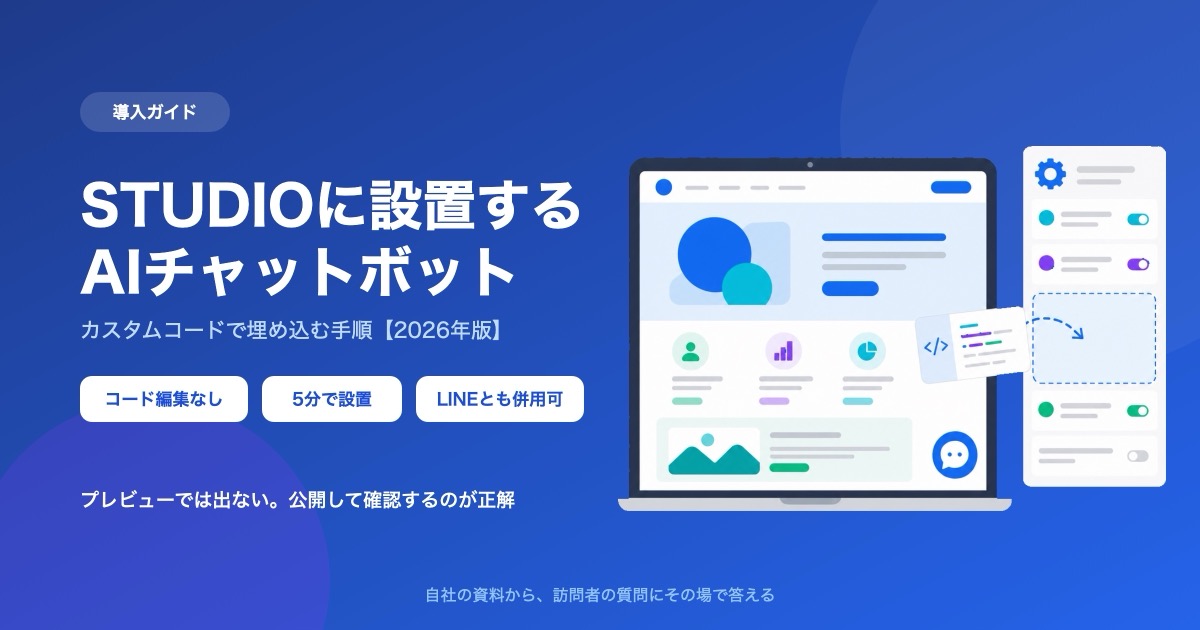
How to Add a Chatbot to STUDIO -- The Custom Code Method, Step by Step (2026)
How to install an AI chatbot on a site built with STUDIO, following the actual settings screen. Covers why a paid plan is required, why nothing shows up in preview, and why the Embed box is the wrong place for it.
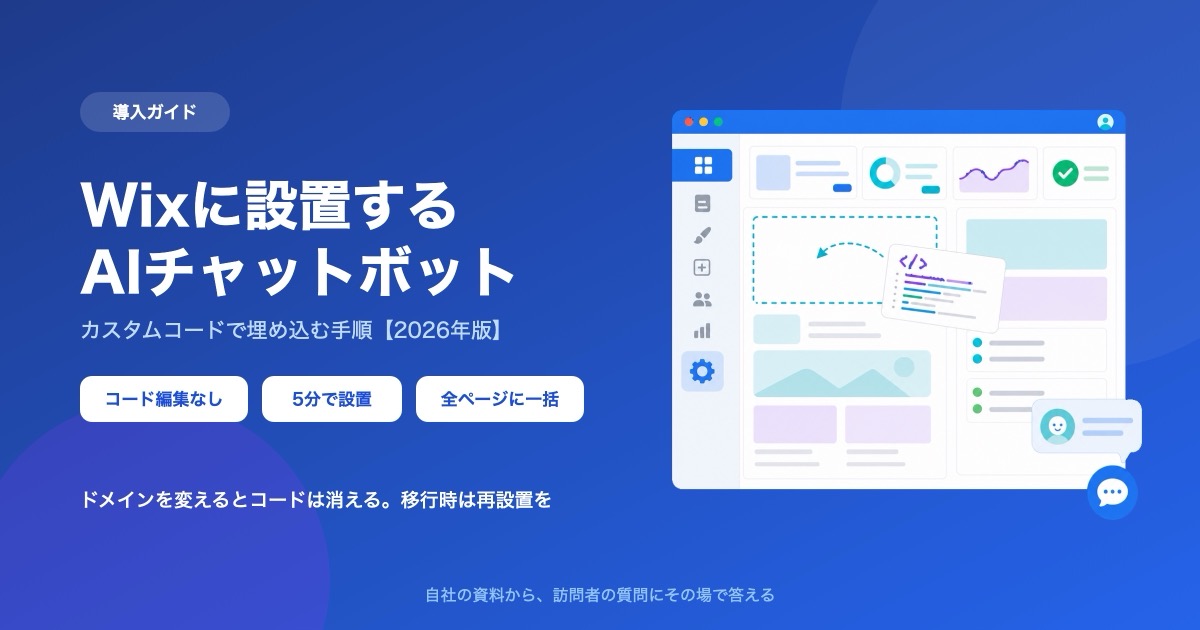
How to Add a Chatbot to Wix -- The Custom Code Method, Step by Step (2026)
How to install an AI chatbot on a Wix site, following the actual dashboard screen. Covers why a connected domain is a prerequisite, the spec where changing domains deletes your snippet, and how it differs from the built-in chat.
How to Add a Chatbot to Shopify -- The Custom Liquid Method, No App Required (2026)
Three ways to install a chatbot on a Shopify store, compared, plus the step-by-step Custom Liquid method that needs no app. Covers the theme-swap trap that silently removes it, why it cannot appear on checkout, and how far a free plan goes.