
"We want to use AI at work, but ChatGPT, Claude, and Gemini are all popular -- how do we pick the right one?"
A wave of new AI tools hit the market across 2024 and 2025, and in 2026 more companies than ever are struggling to choose. The truth is that each tool has its own strengths, and using several in combination has become the norm.
This article compares six leading AI tools (ChatGPT, Gemini, Claude, NotebookLM, Notion AI, and Monoshiri AI) based on the latest information as of April 2026. Rather than judging them against each other, we focus on which tool fits which use case.
What you will learn
- Where each of the six major AI tools sits in the landscape, and what they are best at
- A use-case matrix to help you pick the right tool for each job
- A pricing comparison as of 2026
- An honest look at what Monoshiri AI can and cannot do
The two axes that make AI tools easier to understand
AI tools become much clearer when you sort them along two axes: "individual vs. organizational" and "general-purpose vs. specialized."
| Axis | General-purpose AI (broad use) | Specialized AI (optimized for a specific use) |
|---|---|---|
| Individual / small team | ChatGPT / Claude / Gemini | NotebookLM |
| Organization | ChatGPT Business / Gemini Business / Claude Team | Notion AI / Monoshiri AI |
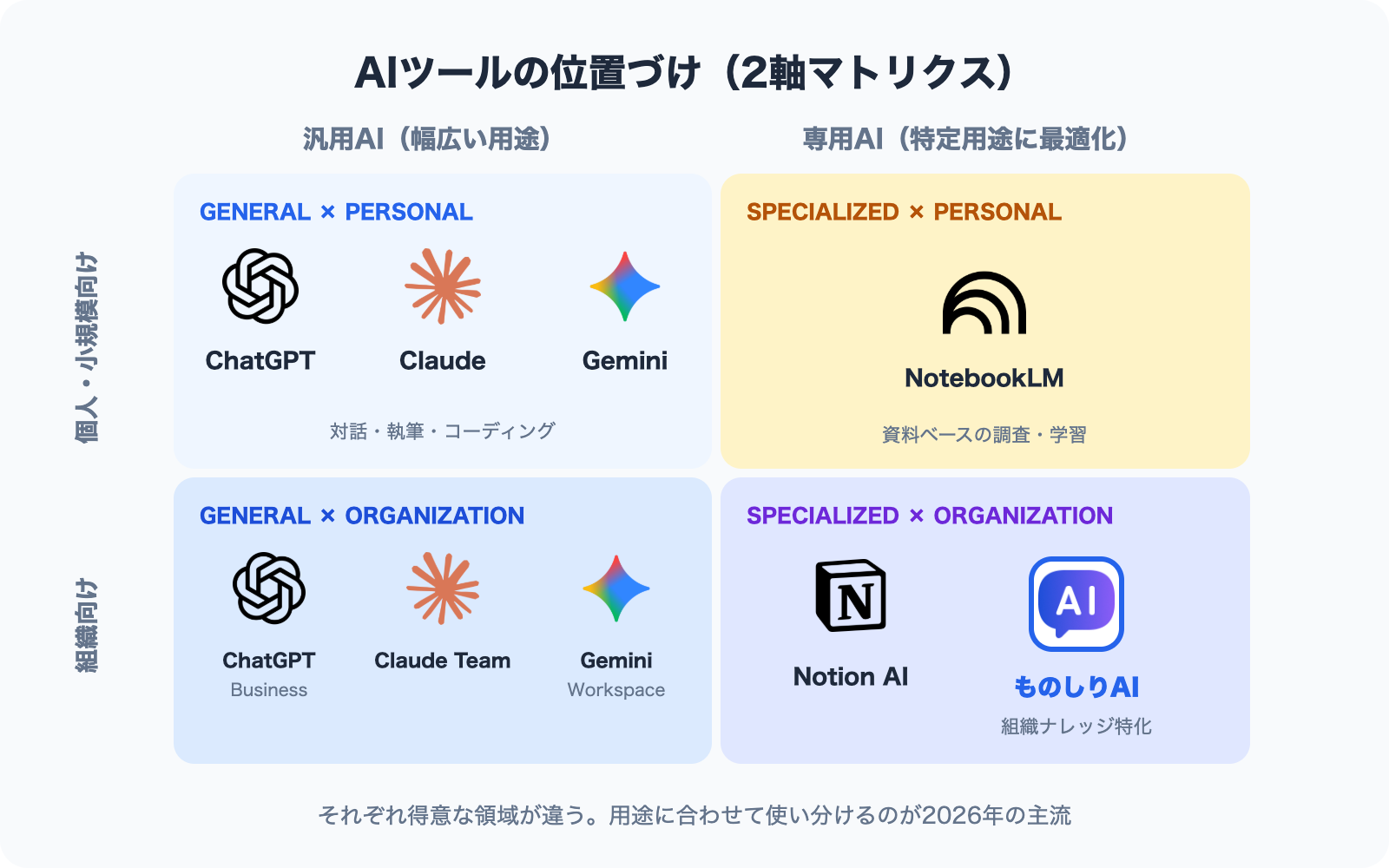
General-purpose AI can handle a wide range of tasks -- conversation, writing, programming, translation, and more. Specialized AI is optimized for a specific business area, such as document search, knowledge management, or note-taking.
Let's look at each tool in turn.
1. ChatGPT (OpenAI) -- The most widely adopted general-purpose AI
Position: The most widely adopted general-purpose chat AI in the industry. Handles conversation, writing, coding, image generation, and much more.
Pricing (as of April 2026):
- Free: Free (with usage limits on GPT-5.4)
- Plus: USD 20 / month (for individuals)
- Business: USD 25 / user / month (annual billing)
- Enterprise: Contact sales (typically for 150+ seats)
Strengths:
- Brainstorming, writing, and summarization
- Code generation and debugging assistance
- 60+ tool integrations including Slack, Google Drive, and GitHub (Enterprise)
- Image generation (DALL-E) and voice conversation
Weaknesses:
- Answering based on internal company documents (requires custom setup)
- Easy adoption for small-to-mid Japanese businesses (Enterprise targets 150+ seats)
Official: ChatGPT Pricing
2. Gemini (Google) -- Workspace-integrated AI
Position: An AI natively integrated into Google Workspace (Gmail, Docs, Drive, etc.). As of January 2025, it is bundled as standard in Workspace licenses.
Pricing (as of April 2026):
- Business Starter: USD 8.40 / user / month
- Business Standard: USD 16.80 / user / month
- Business Plus: USD 26.40 / user / month
- Enterprise: Contact sales
Strengths:
- Cross-referencing information from Gmail, Docs, and Drive
- 1M-token context window for processing large documents at once
- Deep Research (multi-source research reports generated by AI)
- Google Meet integration
Weaknesses:
- Organizations not using Google Workspace cannot leverage its full power
- Integration with systems outside Workspace
Official: Google Workspace Pricing
3. Claude (Anthropic) -- A general-purpose AI with a knack for long-form and analysis
Position: A general-purpose chat AI from Anthropic. Known for long-context handling and complex analysis, it has a loyal following among developers, researchers, and writers.
Pricing (as of April 2026):
- Free: Free
- Pro: USD 20 / month (for individuals)
- Team: USD 20 / seat / month (annual, minimum 5 seats)
- Enterprise: Contact sales (500K-token context, HIPAA support)
Strengths:
- Reading, summarizing, and analyzing long-form documents
- Projects (shared team workspaces)
- Integrations with Google Drive, Gmail, GitHub, Microsoft 365, and Slack
- Cautious, safety-conscious responses
Weaknesses:
- No image generation or voice conversation
- Limited real-time web search capabilities
Official: Claude Pricing
4. NotebookLM (Google) -- Built for personal research and learning
Position: A tool that lets an AI summarize and answer questions based on source materials you upload (PDFs, webpages, videos). Now integrated as a core Google Workspace service.
Pricing (as of April 2026):
- Free: Personal use, with limits on sources and Audio Overviews
- NotebookLM Plus: Included with Google Workspace Business Standard and above (from USD 14 / month)
- NotebookLM Plus Enterprise: Via Google Cloud (contact sales)
Strengths:
- Cross-document summarization of multiple PDFs
- Interactive Q&A grounded in uploaded sources
- Audio Overview (turning documents into podcast-style summaries)
- Research, learning, and investigative work
Weaknesses:
- Organization-wide knowledge sharing (notebooks are managed per-user)
- No LINE or web chat integration (admin console only)
- Not designed to be embedded in business workflows such as customer support
Official: NotebookLM for Workspace
5. Notion AI -- Workspace AI built into Notion
Position: An AI tightly integrated into Notion, the document management platform. From 2026, Notion AI is bundled as standard with Business and Enterprise plans.
Pricing (as of April 2026):
- Free: Free (for individuals)
- Plus: USD 10 / user / month (no AI features)
- Business: USD 15 / user / month (AI included)
- Enterprise: Contact sales
Strengths:
- Creating, editing, and summarizing pages within Notion
- Ask Notion (workspace-wide search across all of Notion)
- AI Agents (released September 2025) for workflow automation
- Aggregating information via Google Drive and Slack integrations
Weaknesses:
- If your information lives outside Notion, you need to migrate everything in
- No support for inquiries coming from external channels such as LINE
Official: Notion Pricing
6. Monoshiri AI -- Specialized AI search for organizational knowledge
Position: A Japan-built knowledge base AI designed for organizations. It ingests your existing documents and lets employees ask natural-language questions via LINE or web chat.
Pricing (as of April 2026, tax included):
- Free: JPY 0 / month (150 queries / 1 folder)
- Light: JPY 2,980 / month (1,000 queries / 5 folders)
- Standard: JPY 7,980 / month (3,000 queries / 10 folders)
- Pro: JPY 29,800 / month (20,000 queries / 30 folders)
- Unlimited users on every plan
Strengths:
- Ingests PDFs, Word, Excel, and PowerPoint files as-is
- Ask internal documents from LINE (a unique feature)
- Embeddable AI chatbot for your website (doubles as an external FAQ bot)
- Folder-level access control (information separated by department)
- Data stored in AWS Japan regions; never used to train external AI models
- Unlimited user seats make company-wide rollout easy, even for SMBs
What it cannot do (being honest):
- No image or audio generation (no DALL-E- or ElevenLabs-style features)
- Not great for brainstorming or general chitchat (focused on grounded answers from your documents)
- No code generation or programming assistance
- No direct Slack or Teams integration today (LINE, web chat, and the admin console only)
- No real-time web search (answers are grounded in the documents you ingest)
- Writing or translating long-form prose is better handled by general-purpose AI
Official: Monoshiri AI, an AI knowledge base for internal documents / Pricing
Pricing comparison (April 2026, modeled on a 50-person organization)
Assuming every employee in a 50-person company uses the tool, per-user pricing stacks up fast compared to Monoshiri AI's flat fee.
| Tool | Plan | Monthly (50 users) | Annual |
|---|---|---|---|
| ChatGPT Business | USD 25 x 50 | ||
| Gemini Business Standard | USD 16.80 x 50 | ||
| Claude Team | USD 20 x 50 | ||
| NotebookLM Plus (bundled with Workspace) | USD 14 x 50 | ||
| Notion AI Business | USD 15 x 50 | ||
| Monoshiri AI Standard | Flat JPY 7,980 | JPY 7,980 (~$53) | JPY 95,760 (~$640) |
Converted at USD 1 = JPY 150, annual billing basis.
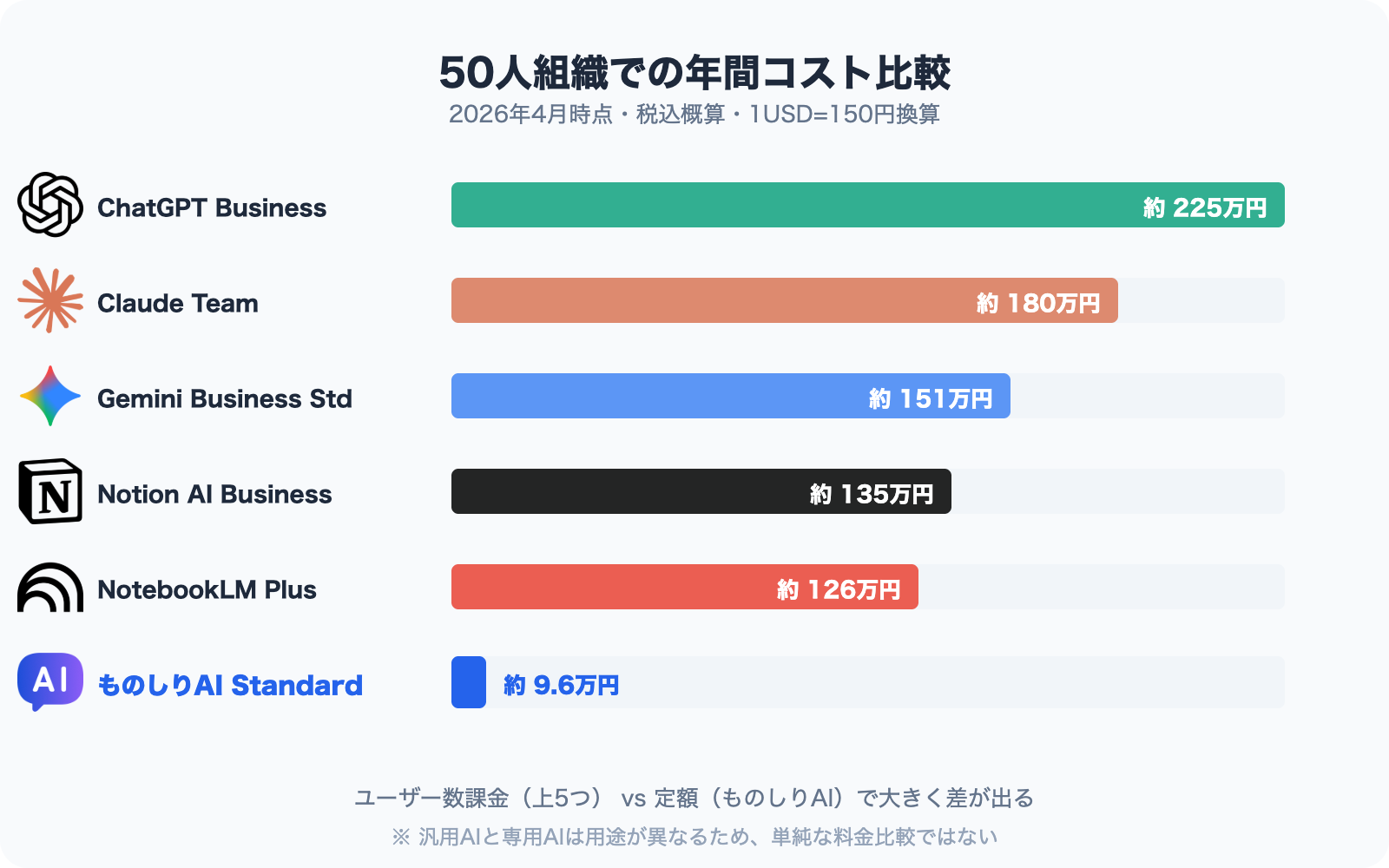
Note: This is a raw price comparison. General-purpose AI and specialized AI serve different purposes, so the right question is not "which is better?" but "what do you want to use it for?"
Use-case matrix: which tool should you use?
Even within the same organization, the best tool varies by task.
| Use case | Recommended tool | Why |
|---|---|---|
| Brainstorming | ChatGPT / Claude | Strong at open-ended dialogue |
| Code generation / dev support | ChatGPT / Claude | Optimized for coding assistance |
| Long-form summarization / analysis | Claude / NotebookLM | Long context and multi-source handling |
| Email and document drafting | Gemini / ChatGPT | Office and Workspace integrations |
| Image / audio generation | ChatGPT / Gemini | Multimodal support |
| Personal research and learning | NotebookLM | Grounded Q&A on your own sources |
| Creating documents inside Notion | Notion AI | Everything stays in Notion |
| Answering employee questions | Monoshiri AI | Instant answers from internal docs, LINE-ready |
| Onboarding new and mid-career hires | Monoshiri AI | Folder-level permissions, unlimited users |
| Automating website inquiries | Monoshiri AI | Embeddable chat widget |
| Frontline staff who don't use PCs | Monoshiri AI | Ask from LINE on a smartphone |
Running general-purpose and specialized AI side by side is the realistic path
As of 2026, the mainstream approach at most companies is to run general-purpose AI and specialized AI in parallel.
Role of general-purpose AI (ChatGPT / Claude / Gemini):
- Individual creative work (brainstorming, writing, coding)
- Streamlining day-to-day tasks
Role of specialized AI (Monoshiri AI and similar):
- Shared organizational access to internal knowledge
- Handling routine inquiries
- Onboarding and referencing operational manuals
Example: When a sales rep asks about product catalogs or pricing, they turn to Monoshiri AI (instant answers grounded in organizational knowledge). When the same rep drafts a client email, they use ChatGPT or Gemini (general-purpose writing). That is how the split typically works.
You get the most out of AI when both sides are in place.
Is Monoshiri AI a fit for your organization?
Let's be honest about this.
Good fit
- Small and mid-sized companies: Unlimited users means company-wide rollout doesn't blow up the budget
- Organizations with frontline staff who don't carry PCs: LINE integration lets them ask from their phones
- Japanese-language-centric document sets: Built in Japan with high Japanese-language accuracy
- Teams that want to use their existing PDFs and Word files as-is: No need to rewrite content
- Companies that want to automate external inquiries: Web chat widget is ready to go
Not a great fit
- Primarily need general-purpose features like image or code generation: ChatGPT or Claude is a better fit
- Everything already runs inside Notion: Notion AI is more seamless
- Heavily invested in Google Workspace: Gemini and NotebookLM integrate natively
- Individual use without organizational management needs: Claude Pro or ChatGPT Plus is enough
Summary
We compared six leading AI tools as of April 2026.
- ChatGPT / Claude / Gemini: General-purpose AI for brainstorming, writing, coding, translation, and more
- NotebookLM: For personal research and learning, with Q&A grounded in your own sources
- Notion AI: Workspace AI for organizations that live in Notion
- Monoshiri AI: Specialized for organizational knowledge search, with LINE integration, unlimited users, and a focus on SMBs
The golden rule for AI adoption in 2026 is to choose by "what you want to do," not by "which is the best." Running general-purpose and specialized AI side by side is the surest way to maximize AI's impact.
If your organization is looking for an environment where "anyone, anytime, anywhere can pull up internal information," Monoshiri AI is a strong candidate. If your work is mostly individual creative tasks, ChatGPT or Claude is the better pick.
AI tools evolve fast -- the landscape can shift in just a few months. This article reflects information available as of April 2026.
Share this article
Related Articles
Best WordPress Chatbot Plugins: 10 Compared (2026), AI vs. Rule-Based
We compare 10 WordPress chatbot plugins using public WordPress.org data: AI vs. rule-based (scenario) chatbots, whether you need an API key or an account, answers from your own documents, and what 'free' covers, with picks by goal.
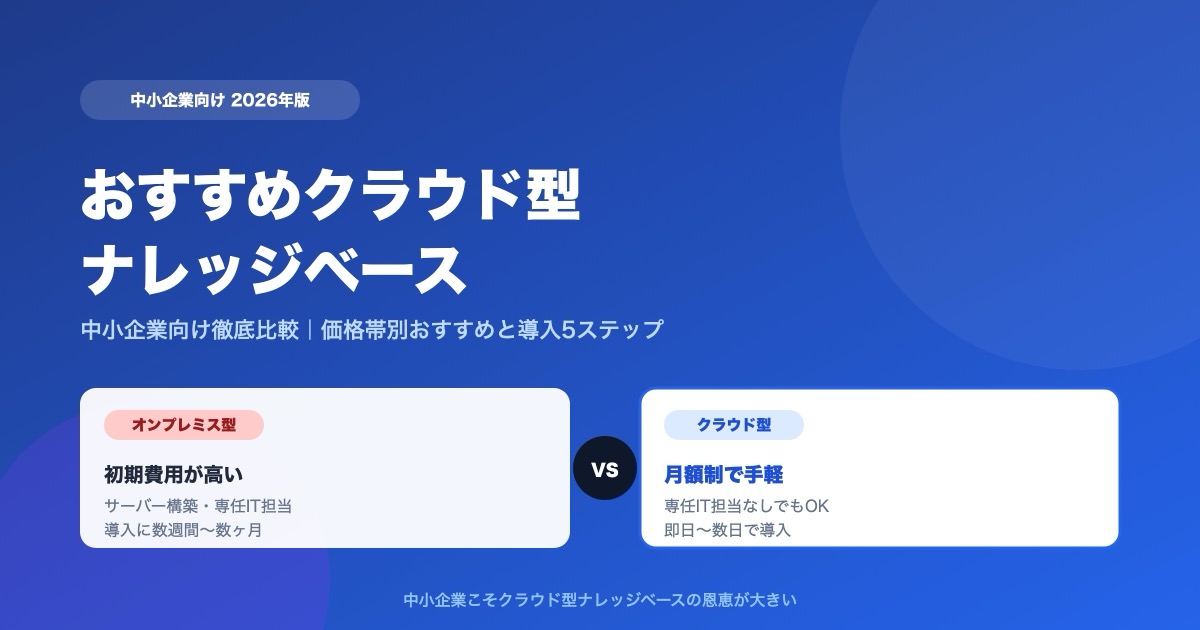
Which Cloud Knowledge Base Should You Choose? SMB Comparison and Buying Guide (2026)
For a small or midsize business, the cloud knowledge base to pick is one you can trial free and that does not charge per user. Here is why, plus selection criteria, picks by price tier, a comparison table, and a 5-step rollout.
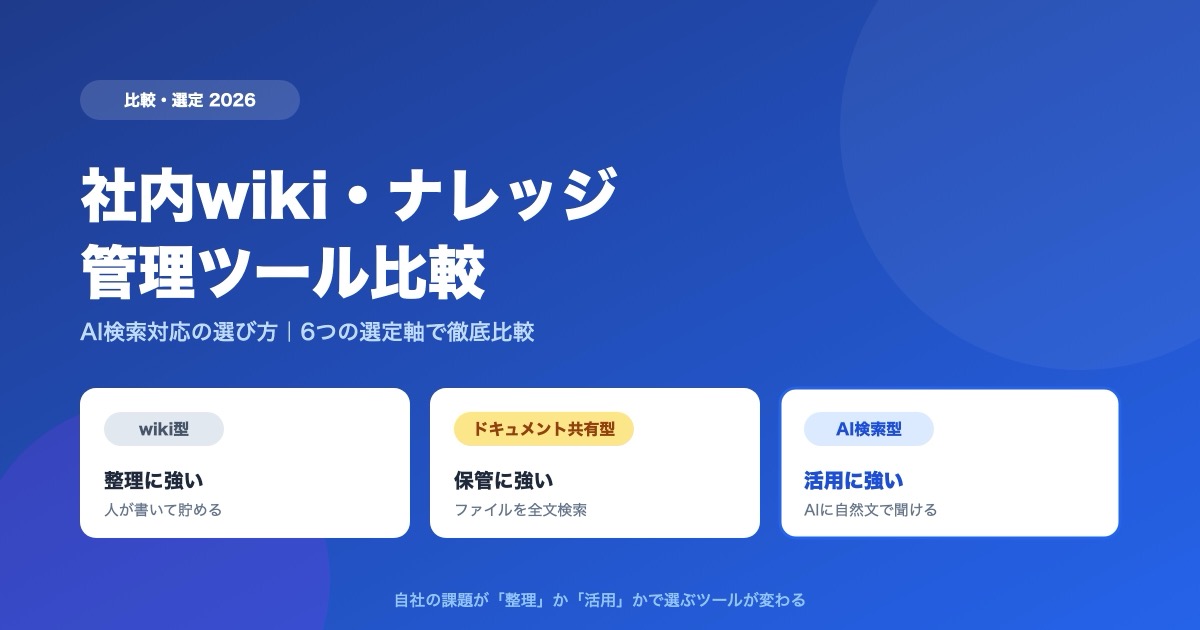
Internal Wiki & Knowledge Management Tools Compared (2026): How to Choose for AI Search
A 2026 comparison of internal wikis and knowledge management tools. Use six selection criteria for AI knowledge bases (answer accuracy, pricing, access control, ease of adoption, Japanese-language accuracy, integrations) and a side-by-side comparison table to find the right fit.

![Dify vs Monoshiri AI -- Choosing the Right Internal Knowledge AI for Your Team [2026 Edition]](/blog/dify-vs-monoshiri/header.jpg)

![How to Choose an Internal Knowledge Base -- 7 Comparison Points You Can't Afford to Miss [2026 Edition]](/blog/knowledge-base-comparison-2026/header.jpg)