

"We rolled out an internal wiki, but nobody updates it anymore." "We have the tool, but in the end no one actually searches it." If you've been handed the job of choosing a knowledge management tool, these frustrations probably sound familiar.
As of 2026, knowledge management tools are shifting from "people write articles and pile them up" toward "AI reads your documents and answers questions." This article sorts out the landscape -- from internal wikis to the latest AI knowledge bases -- and lays out six selection criteria, plus a comparison table, as objectively as possible so you can choose without regret.
What You'll Learn
- The three categories of internal knowledge management tools and how they differ
- Six comparison criteria you can't afford to skip
- A comparison table of major knowledge management tools, broken down by type
- Why AI search has become essential in 2026
- How to judge which tool fits your organization
For a comprehensive selection checklist, see How to Choose an Internal Knowledge Base -- 7 Comparison Points You Won't Regret (2026 Edition). This article complements that hub by focusing specifically on comparing tools by type.
Three Categories of Knowledge Management Tools: Wiki, Document Sharing, and AI Search
"Knowledge management tools" tend to get lumped together, but the underlying mechanics fall into three broad types. Because each type carries a very different operational burden and search experience, understanding which type you actually need is the starting point for any sound decision.
| Category | How it works | Typical uses | Weakness |
|---|---|---|---|
| Internal wiki | People write and edit articles to accumulate knowledge | Procedures, company policies, meeting notes | High writing effort; updates stall easily |
| Document sharing | Stores files and runs full-text search | Repository for existing Word/PDF/Excel files | Hard to find anything if keywords don't match |
| AI search | AI reads existing documents and answers in natural language | Cross-document search, handling internal questions | Answer accuracy and supported formats vary by tool |
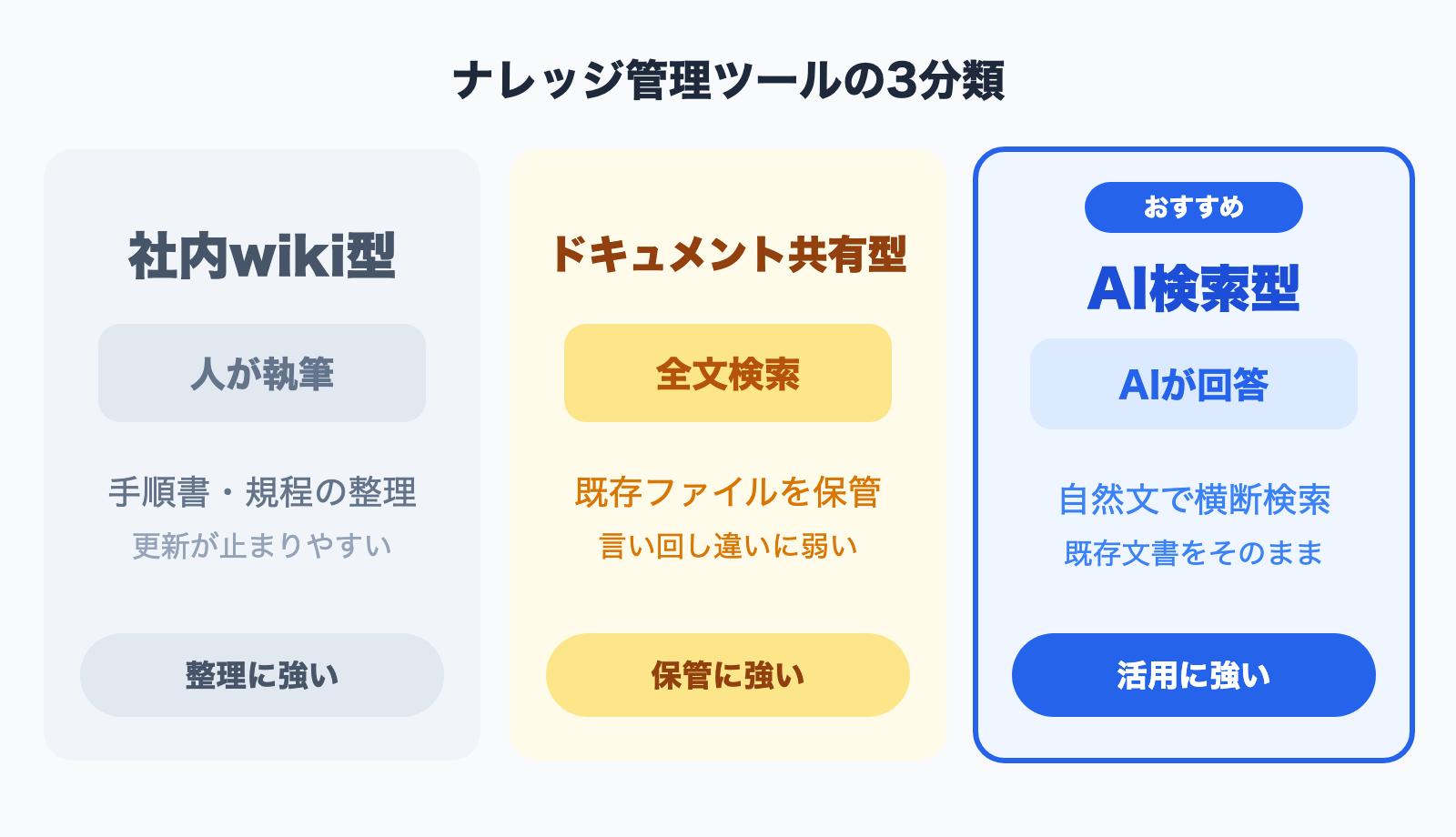
The most traditional is the internal wiki. It lets you organize information in a structured way, but it carries a built-in fate: there's no value unless someone keeps writing. That makes operations prone to becoming dependent on a few individuals.
Document sharing is appealing for its simplicity -- you just dump existing files in. But because search relies on simple keyword matching, you run into the classic "if the wording is different, it doesn't show up" problem.
The type spreading fast in recent years is AI search. The AI semantically understands the contents of the documents you upload, and employees just ask in plain language to get answers. Because you can leverage your existing Word and PDF files as-is, there's no "effort of writing articles" the way a wiki demands -- and that's the big difference. If you want to understand how AI search works, see What Does "Ask the AI" Mean? A New Form of Internal Document Search.
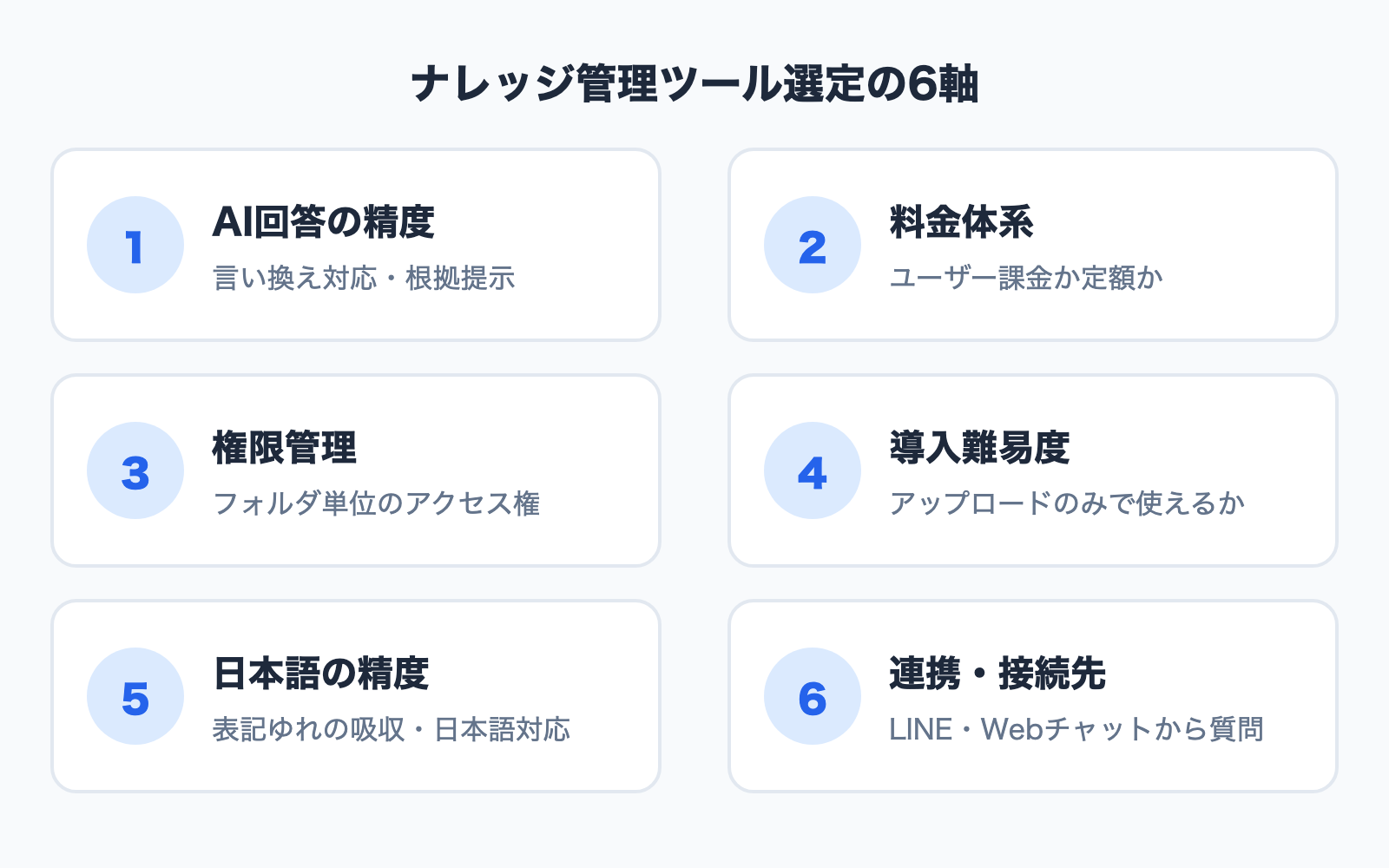
Six Criteria for Choosing a Knowledge Management Tool
Once you understand the types, the next step is the concrete comparison criteria. Rather than being dazzled by feature counts, we recommend evaluating tools flatly against the six axes below.
Criterion 1: AI Answer Accuracy
The single most important factor is whether the tool returns accurate, well-grounded answers to questions.
There are two things to assess. First, can it absorb differences in wording? For example, if someone asks "how do I take PTO," can it surface the document titled "procedure for requesting annual leave"? Second, can it cite the documents that back up its answer? An AI that doesn't show its sources gives you no way to catch a wrong answer (a hallucination) when it happens.
In a demo, always test three patterns against your own real documents: paraphrased expressions, vague questions, and questions that span multiple documents.
Criterion 2: Pricing Model
Even two tools both priced at "10,000 yen a month" can carry very different real costs depending on the billing unit.
| Billing model | Characteristics | Watch out for |
|---|---|---|
| Per-user pricing | Number of users x unit price | Cost grows linearly as you roll out company-wide |
| Per-document / storage pricing | Determined by data volume or item count | Cost rises as your archive grows |
| Plan-based (flat-rate) pricing | The plan defines the feature scope | The features you need may sit in a higher tier |
If you expect everyone in the company to use it, a flat-rate plan with no cap on users makes total cost far easier to predict. Even when there's a free plan, check whether its limits on document count and chat volume are practical for real use.
Criterion 3: Access Control
Because every department and project has information that "may be shown" and information that "must not be shown," the ability to set access permissions at the folder level is a critical requirement.
If you handle HR records, executive materials, or customer data, a design where every employee can read every document is a risk. Choose a tool that lets you finely control who can view and edit which folders.
Criterion 4: Ease of Adoption
No matter how feature-rich a tool is, it won't take hold on the front lines if rollout requires specialized knowledge.
Three things to verify: (1) Can it ingest your existing Word/PDF/Excel files as-is? (2) Does initial setup require an engineer? (3) Can employees start using it without a walkthrough? The smaller the company -- especially those without a dedicated IT person -- the more the "just upload and go" simplicity pays off.
Criterion 5: Japanese-Language Accuracy
Overseas tools may excel on features yet fall short on Japanese-language search and answer accuracy, or on Japanese-language support.
If your organization works mainly with Japanese documents, it's reassuring to confirm in a demo how well the tool absorbs Japanese spelling variants (for example, the different ways of writing "meeting": 打合せ, 打ち合わせ, ミーティング).
Criterion 6: Integrations and Access Points
Where people can ask questions has a large impact on usage.
When employees can ask not just from the PC admin screen but from the chat tools they use every day, or from a chat widget embedded on a website, usage tends to stick. This is especially true for frontline staff and roles that spend a lot of time out of the office -- whether there's an access point they can easily ask from on a smartphone becomes the deciding factor.
Comparison Table of Major Knowledge Management Tools (2026 Edition)
Here are representative tools, organized by type. Pricing and features for each service are based on publicly available information as of June 2026. Always confirm the latest details on each official website.
| Tool | Type | AI search | Billing unit | Origin | Notes |
|---|---|---|---|---|---|
| Confluence | Internal wiki | Available via add-on | Per-user | Overseas | The go-to wiki for large development teams |
| Notion | Wiki + document | Notion AI (paid) | Per-user | Overseas | Flexible page design, all-in-one |
| Microsoft 365 (SharePoint, etc.) | Document sharing | Available via Copilot | Per-user | Overseas | Integrated into the Office environment |
| esa / Kibela | Internal wiki | Limited | Per-user | Japan-made | Japanese-language wiki, strong for information sharing |
| Monoshiri AI | AI search | Built-in | Flat-rate, unlimited users | Japan-made | Ingest existing documents as-is, with LINE/Web integration |
- Each tool's features and pricing are subject to change. Always confirm on the official website and via a free trial before adopting.
As you can see, wikis are strong at "organizing and accumulating information," while AI search is strong at "instantly pulling out what's been accumulated." It's not that one is better than the other -- the right tool changes depending on whether your real problem is "organizing" or "leveraging."
If "a culture of writing articles has taken root and you want to strengthen organization," a wiki is the call. If "you already have a mountain of documents but can't find or read them," AI search becomes a strong candidate. For a deeper explanation of comparison criteria, see the comparison hub article; for how these differ from general-purpose AI like ChatGPT and Notion AI, see 6 Internal AI Tools Compared (2026 Edition).
Why AI Search Has Become Essential in 2026
Knowledge management once centered on "how to organize and store information." But stored information is meaningless if it isn't used. In reality, many organizations remain stuck in a state where "the materials exist, but no one knows where they are, so people end up just asking a colleague."
There are three reasons AI search is becoming essential.
Reason 1: The time spent searching is itself a cost
The time employees spend hunting for information or going around asking the people who know adds up to a significant cost. When you can ask an AI in plain language and get an answer in seconds, you compress that "search time."
Reason 2: The limits of keyword search
Traditional search assumes a word match. If the person asking doesn't know the right keyword, they can't get there. AI search looks by meaning, so it can surface relevant documents even from a vague question. For details, see Why Keyword Search of Internal Documents Has Hit Its Limit.
Reason 3: Breaking dependence on individuals
The "you have to ask Ms. A about that" state collapses the moment that person transfers or leaves. When the AI answers based on the documents, knowledge stays as an organizational asset. We cover this dependence problem in more depth in How to Break Internal Knowledge Out of Information Silos.
In short, if you're choosing a new knowledge management tool, whether it comes with the ability to "ask the AI" as a standard feature -- not just to "store" -- is the 2026 selection benchmark.
Where Monoshiri AI Fits: A Japan-Made AI Search Knowledge Base
Measured against the six criteria above, Monoshiri AI, an AI knowledge base for internal documents, is a Japan-made knowledge base in the AI search category (feature details). From the angle of this article's theme -- tool selection -- here's a summary of its characteristics.
- AI answer accuracy: Ingest existing Word, PDF, Excel, and PowerPoint files as-is; employees ask in plain language. You can also check the documents that grounded each answer.
- Pricing: From 2,980 yen/month, with unlimited users on every plan. Cost doesn't spike when you roll out company-wide.
- Access control: Set access permissions at the folder level to separate information by department.
- Ease of adoption: You can start just by uploading documents -- no specialized knowledge required.
- Japanese-language accuracy: Built in Japan and designed around handling Japanese documents.
- Integrations: Ask your internal documents from LINE, and use the embeddable chat widget for websites too.
On the other hand, because Monoshiri AI specializes in answers grounded in internal documents, it isn't suited to general-purpose tasks like brainstorming or code generation. For organizations that want to "strengthen organization" or "complete their work entirely within Notion," a wiki or all-in-one tool may be a better fit. If your problem is "I want to instantly pull out the information we've stored" or "I want it used in a form everyone on the front line can handle," AI search is a strong option.
If you're torn on the decision, the comparison-with-other-tools page and the FAQ can also help you decide. To discuss your specific requirements, reach out via Contact; if you simply want to try it first, you can start from the free plan.
Summary
We've laid out the comparison points for internal wikis and knowledge management tools.
- Three categories: internal wiki (strong at organizing) / document sharing (strong at storing) / AI search (strong at leveraging)
- Six selection criteria: AI answer accuracy, pricing model, access control, ease of adoption, Japanese-language accuracy, integration access points
- Choose by your problem: if "organizing" is the issue, go wiki; if "can't find / isn't read" is the issue, go AI search
- AI search is essential in 2026: cut search time, break past the limits of keyword search, end dependence on individuals
- A trial is a must: always validate answer accuracy with your own real documents and multiple users
A knowledge management tool isn't "done once deployed" -- it only delivers value once it keeps getting used. Turn this article's six criteria into a comparison sheet, and drive the selection forward with your front line involved.
As related reading, see Recommended Cloud Knowledge Bases Compared for Small and Midsize Businesses and How to Choose an Internal Knowledge Base -- 7 Comparison Points You Won't Regret.
Share this article
Related Articles
![How to Choose an Internal Knowledge Base -- 7 Comparison Points You Can't Afford to Miss [2026 Edition]](/blog/knowledge-base-comparison-2026/header.jpg)
How to Choose an Internal Knowledge Base -- 7 Comparison Points You Can't Afford to Miss [2026 Edition]
A practical guide to choosing the right knowledge base for your company. Covers seven evaluation criteria -- from pricing models and security to integrations -- that also double as material for internal approval documents.

10 WordPress Chatbot Plugins Compared (2026): Choosing by API Key Requirements
A comparison of 10 WordPress chatbot plugins based on public WordPress.org data. We break them down by whether you need your own API key, whether the AI can answer from your own documents, language support, and what 'free' actually covers.
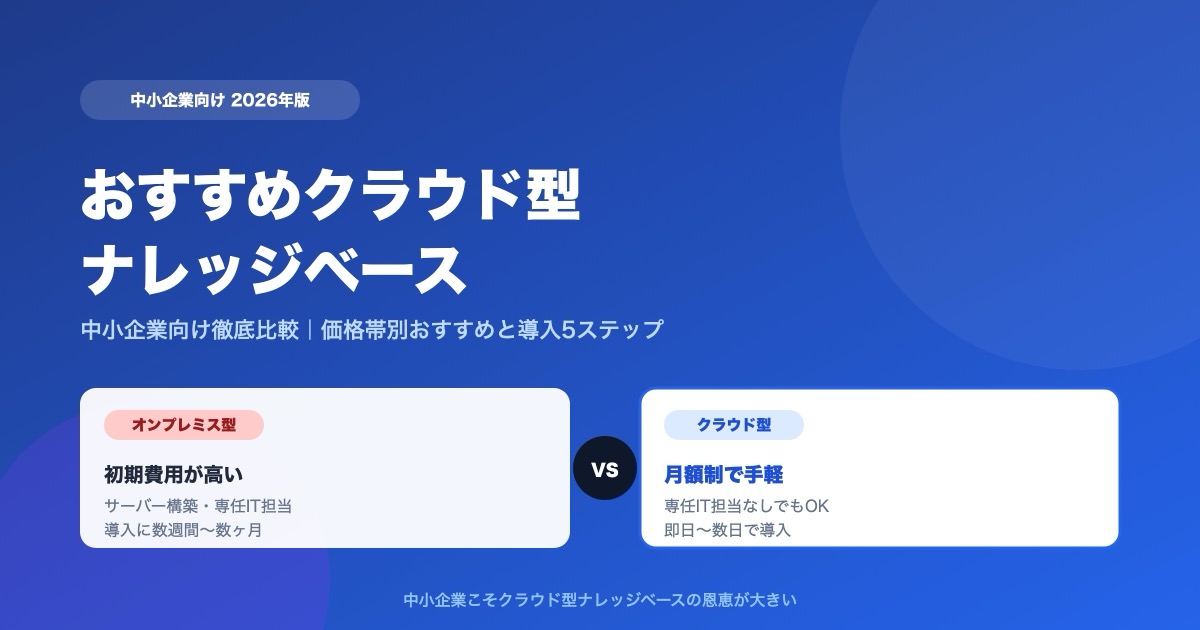
Which Cloud Knowledge Base Should You Choose? SMB Comparison and Buying Guide (2026)
For a small or midsize business, the cloud knowledge base to pick is one you can trial free and that does not charge per user. Here is why, plus selection criteria, picks by price tier, a comparison table, and a 5-step rollout.

![Dify vs Monoshiri AI -- Choosing the Right Internal Knowledge AI for Your Team [2026 Edition]](/blog/dify-vs-monoshiri/header.jpg)

![Enterprise AI Tool Selection Guide -- ChatGPT, Gemini, Claude, NotebookLM, Notion AI, and Monoshiri AI Compared [2026 Edition]](/blog/ai-tools-comparison-2026/header.jpg)