

You signed the contract for an AI knowledge base. Created your account. Logged into the admin panel. So far, so good.
Yet many organizations stumble within the first month. The result: "We deployed the tool, but nobody is using it."
According to Japan's Ministry of Internal Affairs and Communications 2023 White Paper on Information and Communications, AI adoption among Japanese companies remains around 20 percent. A major reason tools go unused is that organizations fail to take the right steps during the initial launch period.
This article lays out five actions to take in the first 30 days, organized week by week. You do not need to aim for perfection. Start small and grow from there -- that is the key to success.
What you will learn
- A concrete action plan for the first 30 days
- How to prevent your knowledge base from becoming shelfware
- How to build a feedback-driven improvement cycle
- When and how to expand to the entire organization
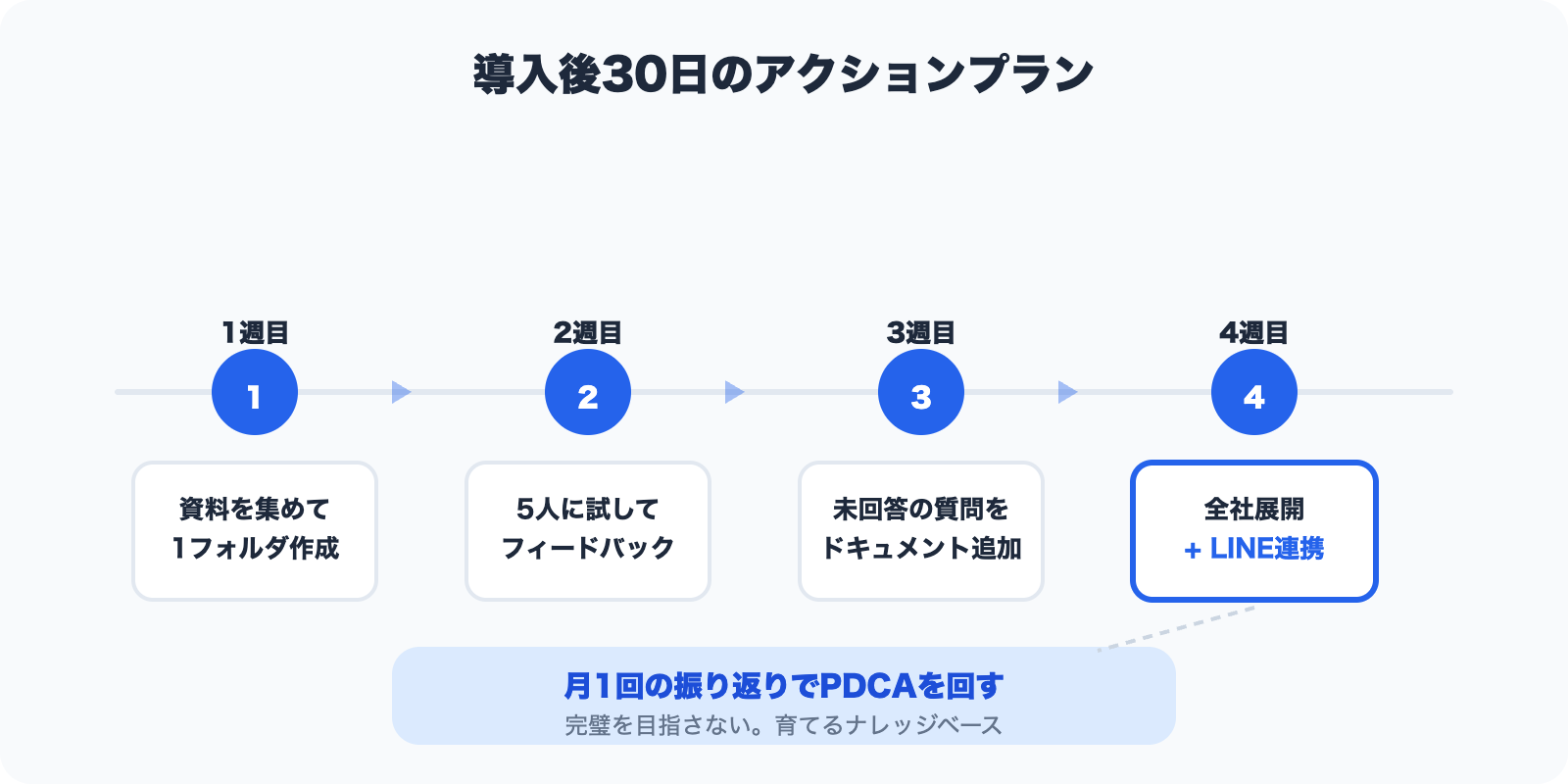
1. Week 1: Collect "most-asked questions" in a single folder
Trying to cover every document on Day 1 is a classic failure pattern.
Your first step is to create one folder and fill it with materials related to the questions your team gets asked most often.
Specific actions:
- Pick one department that handles a high volume of inquiries -- HR, General Affairs, or IT
- List the questions that come up every week (5 to 10 is enough)
- Upload the relevant internal manuals, procedures, and FAQs to that folder
Think questions with clear answers that come up repeatedly: "How do I file an expense report?" "What's the Wi-Fi password?" "How do I request paid leave?"
With Monoshiri AI, you can manage documents by folder, so starting with a single folder like "HR FAQ" or "IT Helpdesk Manual" is all it takes.
The key point: do not aim for perfection from the start. It does not matter if document formats are inconsistent. PDFs, Word files, plain text -- anything works. Upload what you have and see how the AI responds.
2. Week 2: Have 5 pilot users try it out
Once your folder has documents, it is time to test with a small group.
Announcing "We've deployed a new tool!" to the entire company rarely works. Most employees are too busy to try something new. Instead, ask about 5 cooperative colleagues to give it a spin.
How to choose pilot users:
- People who are open to new tools
- People who handle inquiries first-hand (they feel the pain)
- People who give candid feedback
Tips for the trial:
- Tell them: "Try asking the AI the questions you normally get from colleagues"
- Keep instructions minimal (whether the tool is intuitive is itself useful feedback)
- Schedule a feedback session for the following week
The goals are twofold: verify the AI's answer quality and gauge real-world reactions. Comments like "It's useful, but this answer was slightly off" become the raw material for the next step.
3. Week 3: Add documents based on questions the AI could not answer
Gather feedback from your pilot users and begin improving the knowledge base.
Focus on the questions the AI struggled with. There are generally two reasons it could not answer:
1. The relevant document simply does not exist
Straightforward fix -- add the document. For example, someone asked about the travel approval workflow, but the travel policy had never been uploaded.
2. The document exists but is outdated or vague
This takes a bit more effort, but updating the document or adding supplementary material solves the problem.
Specific actions:
- Collect a list of "questions the AI could not answer" from pilot users
- Check whether a corresponding document exists
- Create new documents where none exist; update and re-upload where they do
- Verify that the AI's answers improve for the same questions
This "question, improve, verify" cycle is the core of growing a knowledge base. You do not need a perfect knowledge base at launch. It is something you refine as you go.
4. Week 4: Roll out company-wide and introduce LINE integration
After three weeks of preparation, answer quality should be in good shape. It is time for a company-wide rollout.
Even at this stage, a single email announcement is not enough. Here are tips to improve adoption:
Rollout tips:
- Enlist your pilot users as "internal ambassadors"
- Share specific success stories: "I asked this question and got this answer"
- Show actual AI response screenshots in all-hands meetings or Slack
Lower the barrier with LINE integration:
One of the most effective moves during rollout is activating LINE integration. Letting people ask questions through an app they already use every day eliminates the friction of opening a new tool.
Removing the step of "open a browser and navigate to the admin panel" can dramatically boost usage -- especially for team members less comfortable with PCs or those who need answers on the go from their phones.
5. Run a monthly PDCA review
Rolling out is not the finish line. A knowledge base is a living thing. Internal rules change, new procedures appear, and org structures evolve.
Set aside 30 minutes once a month for a review session.
What to review:
- Usage: How actively is the tool being used?
- Answer quality: Are there unanswered questions or off-target responses?
- Document freshness: Are any materials outdated?
- User requests: Are people asking for topics not yet covered?
How to run the review:
- Review usage data from the past month
- Identify questions where answer quality was low
- List documents that need to be added or updated
- Pick about 3 action items for the next month
By running this PDCA cycle every month, your knowledge base will steadily grow. What started as one folder with a handful of documents can, within six months, become a reliable resource covering all the key information in your organization.
30-day action summary
| Timing | Action | Goal |
|---|---|---|
| Week 1 | Collect frequently asked materials in 1 folder | AI can answer basic questions |
| Week 2 | Have 5 pilot users try it out | Collect real-world feedback |
| Week 3 | Add and update documents based on feedback | Improve answer quality |
| Week 4 | Company-wide rollout + LINE integration | Everyone has access |
| Monthly | 30-minute PDCA review | Establish a continuous improvement cycle |
Forget perfection. Think of a knowledge base you grow over time.
The most common failure in deploying an AI knowledge base is thinking "Let's get everything perfect before we launch."
If you wait until every department's manuals are collected, formats are standardized, and a comprehensive FAQ is built, you will never go live. Meanwhile, the project champion loses motivation and the budget gets consumed with nothing to show for it.
What matters is starting small and improving as you go. One folder and five users is a perfectly fine beginning. The feedback you gather from there is what transforms a knowledge base into something truly useful.
Monoshiri AI is designed so you can go from uploading documents to AI-powered search in minutes. With pricing plans that scale to your team, you can start small and expand as you see results.
The first 30 days after deployment determine whether your knowledge base becomes a tool people rely on or one they forget about. Start today -- create that first folder.
Share this article
Related Articles
![How to Connect Claude, Gemini & Codex via MCP [2026 Edition]](/blog/mcp-connection-guide/header.jpg)
How to Connect Claude, Gemini & Codex via MCP [2026 Edition]
Learn how to connect Claude Desktop, Claude.ai, Gemini CLI, Codex, Dify, and Cursor to your company's knowledge base using Monoshiri AI's MCP (Model Context Protocol) support.
![IT Manager's Checklist for Getting an Internal AI Tool Approved [2026 Edition]](/blog/it-approval-checklist/header.jpg)
IT Manager's Checklist for Getting an Internal AI Tool Approved [2026 Edition]
Seven checklist items for getting an internal AI tool through the approval process. Covering security, cost, legal compliance, and exit strategy, this guide helps IT and general affairs managers address common objections and build a persuasive business case.
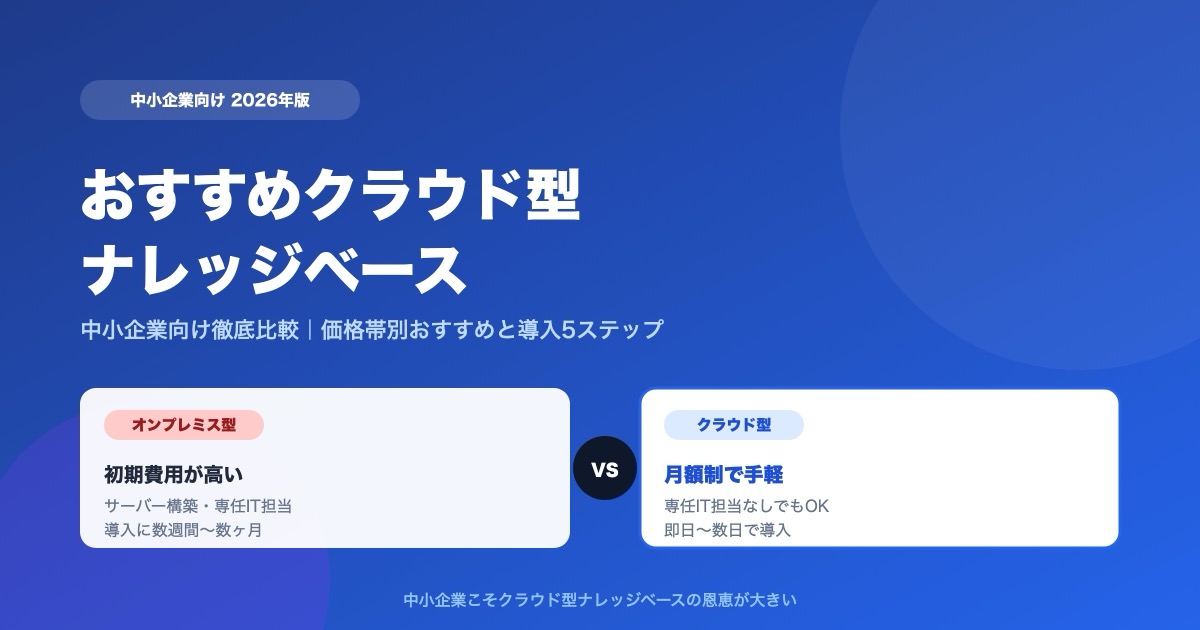
Which Cloud Knowledge Base Should You Choose? SMB Comparison and Buying Guide (2026)
For a small or midsize business, the cloud knowledge base to pick is one you can trial free and that does not charge per user. Here is why, plus selection criteria, picks by price tier, a comparison table, and a 5-step rollout.
